
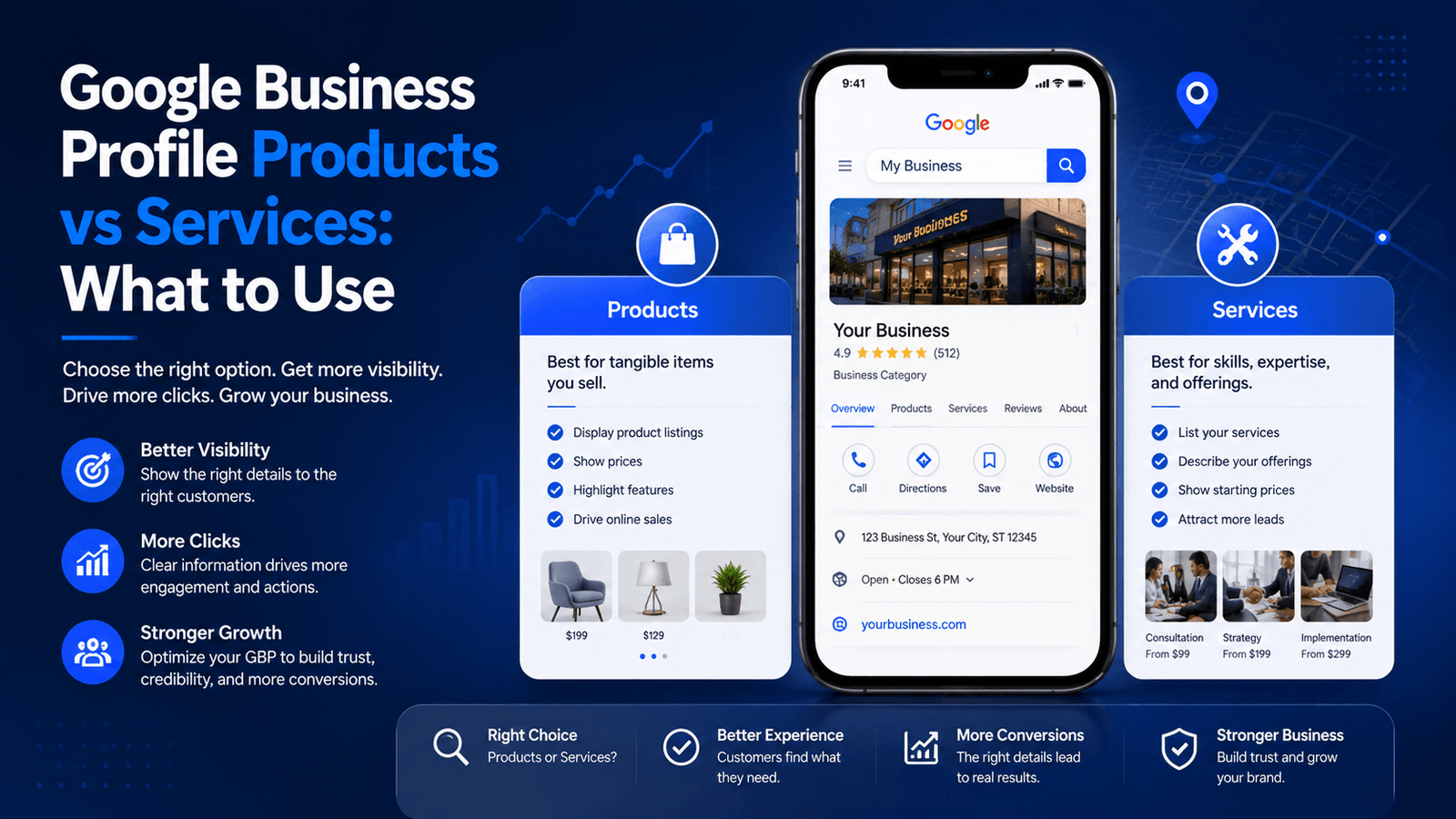
GBP products vs services is one of the most overlooked decisions business owners make when setting up their Google Business Profile — and choosing wrong can directly limit how your listing converts. Both features let you showcase what you offer directly on Google Search and Maps, but they work differently, display differently, and serve completely different business models. If you have been adding service-based offerings under the Products tab, or leaving both sections empty altogether, this guide will help you fix that today.
Beyond just the structural difference, both features give you an opportunity to upload google business profile photos that make your listing more compelling in local search results. Used correctly, these photos can increase click-through rates, drive more direction requests, and build trust before a customer ever visits your website.
By the end of this article, you will know exactly which feature to use, how to set it up properly, and how to pair it with strong visual content for maximum impact in local search.
What Are GBP Products and GBP Services?
Google Business Profile offers two separate catalog-style features for showcasing what your business offers:
GBP Products
The Products tab is designed for businesses that sell physical or digital items. It lets you create a product catalog directly within your business listing, complete with product names, descriptions, prices, photos, and an optional call-to-action button (such as ‘Buy,’ ‘Order Online,’ or ‘Learn More’).
When a potential customer searches for your business or a related keyword, they may see a product carousel or product shelf directly in Google Search or Google Maps — without ever visiting your website. For retail stores, restaurants with featured items, or e-commerce businesses with physical locations, this is a powerful conversion tool.
GBP Services
The Services section is built for businesses that sell expertise, time, or outcomes rather than physical goods. It allows you to list what you do, organize services into custom categories, add descriptions, and set optional price ranges.
Service-based businesses — think plumbers, dentists, marketing agencies, cleaning companies, or personal trainers — benefit from this feature because it signals to Google and to potential clients exactly what the business specializes in. Service data can also influence which local search queries your profile appears for.
GBP Products vs Services: Side-by-Side Comparison
Here is a direct breakdown of how both features compare across the factors that matter most for local SEO and conversion:
| Feature | Products | Services |
| Best for | Retail, e-commerce, physical goods | Agencies, consultants, local providers |
| Photo support | Product image per listing | Service image or category image |
| Pricing display | Fixed or range price | Optional price range |
| Click action | View product detail / CTA | Learn more / contact |
| Appears in | Google Search, Maps, Shopping | Google Search, Maps |
| Inventory style | Catalog-style display | Menu-style display |
| Custom sections | No | Yes — group by category |
| Google Photos link | Yes — add google business profile photos per item | Yes — add category-level photo |
How to Decide: Products or Services?
The quickest way to determine which feature fits your business is to ask a simple question:
Do customers take possession of something, or do they pay for your time and expertise?
If they take something home or receive a deliverable item — physical, digital, or edible — use Products.
If the value lies in what you do rather than what you hand over, use Services.
Use Products If You Are:
- A retail store — clothing, electronics, home goods, specialty foods
- A restaurant or café — showcase signature dishes, seasonal specials
- An e-commerce brand with a physical location — drive foot traffic with visible catalog
- A salon or studio — product lines like shampoos or skincare kits
- A hardware or auto parts store — parts, tools, or accessories with SKUs
Use Services If You Are:
- A local service provider — plumber, electrician, HVAC technician
- A professional services firm — law firm, accounting practice, consulting agency
- A healthcare provider — dental clinic, physiotherapy, mental health practice
- A digital agency or freelancer — SEO, web design, paid advertising management
- A fitness or wellness business — personal training, yoga classes, massage therapy
Some businesses — such as a hair salon that also sells retail products — can and should use both features simultaneously. Google allows this, and using both expands your listing’s footprint on the search results page.
How to Add Products to Your Google Business Profile
- Log into your Google Business Profile dashboard at business.google.com
- In the left-hand menu, click Products, then click Get started
- Click Add product and fill in: product name, category (create a new one if needed), price range, description (up to 1,000 characters), and a call-to-action button
- Upload a high-quality google business profile photo for each product — use a clean background, minimum 720px wide, and no promotional text overlaid on the image
- Click Publish
Photo tip: Product photos in GBP are displayed in a square crop at small sizes, so center your subject and avoid text-heavy images. Google’s own guidance on photo requirements for Business Profiles recommends a minimum resolution of 720 x 720 pixels and a maximum file size of 5 MB for product images.
How to Add Services to Your Google Business Profile
- Open your Google Business Profile and navigate to Edit profile
- Scroll to the Services section and click Edit services
- You will see Google-suggested services based on your business category. You can select from these or click Add custom service to create your own
- For each service, add: service name, description (up to 300 characters), and an optional price
- Organize services into logical categories — for example, a digital agency might use categories like ‘SEO,’ ‘Paid Advertising,’ and ‘Content Marketing’
- Click Save
SEO tip: The service names and descriptions you enter here function as structured signals to Google about your topical relevance. Use the exact terminology your potential customers search for. If your local SEO strategy targets phrases like ‘Google Maps optimization’ or ‘local citation building,’ include those in your service descriptions where they fit naturally. For a deeper understanding of how this feeds into your overall local presence, see our guide on local SEO for small businesses.
The Role of Google Business Profile Photos in Products and Services
One of the most underused levers in GBP optimization is pairing visual content with your product and service listings. Google business profile photos serve as the first impression for many local searchers, and listings with photos consistently receive more engagement than those without.
Here is how photos interact specifically with each feature:
Photos + Products
Every product in your GBP catalog can have a dedicated photo. This is not optional for competitive markets — it is essential. A product listing without a photo is significantly less likely to be clicked than one with a clear, well-lit image of the actual item.
For product photos, follow these best practices:
- Use real photos of your actual products, not stock imagery
- Shoot against a neutral or white background for clean presentation
- Make sure the product fills at least 75% of the frame
- Avoid logos, watermarks, or promotional text within the image
- Maintain consistency across all product photos for a professional catalog feel
Photos + Services
While the Services section does not attach photos at the individual service level in the same way Products does, your overall profile photo gallery plays a major supporting role. Service businesses should populate their profile with:
- Team-at-work photos showing the service being delivered
- Before-and-after results (highly effective for trades, salons, and landscaping)
- Office or workspace interior shots to build trust
- Headshots or team photos to humanize the business
According to Google’s Business Profile Help Center, businesses with photos receive 42% more requests for directions and 35% more website click-throughs than businesses without photos. These numbers make the case for treating visual content as a core part of your GBP strategy — not an afterthought.
Common Mistakes to Avoid
1. Using Products for Service-Based Offerings
Listing ‘Website Design Package’ or ‘Monthly SEO Retainer’ in the Products tab creates confusion for both Google and your potential customers. Products are designed for tangible items. If it belongs in a proposal, put it in Services.
2. Leaving Both Sections Empty
An empty Products or Services section is a missed ranking signal. Google uses your profile data to match your business to relevant local search queries. The more complete your profile, the more confident Google is about when to show you. Leaving these sections blank means leaving relevance signals on the table.
3. Uploading Low-Quality or Irrelevant Photos
Blurry, dark, or heavily filtered images do not just look unprofessional — they can actively reduce the likelihood that Google features your listing prominently. Review the Google photo guidelines and ensure every photo you upload meets the minimum technical standards and genuinely represents your business.
4. Not Updating Products and Services Seasonally
Both the Products and Services catalogs are dynamic. Businesses that refresh their listings with seasonal offerings, new services, or updated pricing signal to Google that the profile is actively managed — which correlates with stronger local ranking performance.
5. Ignoring the Description Fields
Product and service descriptions are indexable content. They give you an opportunity to naturally include keywords your customers are actually searching for. A blank or generic description is a missed semantic SEO opportunity. For more on how to apply this across your entire GBP optimization strategy, refer to our Google Business Profile optimization complete guide.
GBP Products vs Services Optimization Checklist
| Products Checklist |
| ☐ Determine whether your offering is product- or service-based |
| ☐ Add all primary products with real product photos (min 720px wide) |
| ☐ Write keyword-informed product descriptions (up to 1,000 characters) |
| ☐ Set accurate pricing or price ranges |
| ☐ Add a relevant CTA button (Buy, Learn More, Order Online) |
| ☐ Organize products into logical categories |
| ☐ Review and update listings quarterly |
| ☐ Ensure google business profile photos are original, not stock |
| Services Checklist |
| ☐ List all core services in the Services section — not in Products |
| ☐ Use Google-suggested services where relevant for automatic category matching |
| ☐ Add custom services with the exact terminology your customers search |
| ☐ Group services into meaningful categories |
| ☐ Add optional pricing to increase listing transparency |
| ☐ Write keyword-informed service descriptions |
| ☐ Upload supporting photos to your general profile gallery |
| ☐ Review services list every time your offering changes |
Frequently Asked Questions
Q: Can I use both Products and Services on the same Google Business Profile?
A: Yes. Google allows you to use both features simultaneously. This is particularly useful for businesses that sell physical products and also offer services — such as a salon that retails haircare products, or an auto shop that sells parts and also performs repairs.
Q: Do GBP products and services affect local search rankings?
A: Indirectly, yes. A more complete profile increases Google’s confidence in your business and may improve local ranking performance. The keyword-rich descriptions in your Products and Services sections also contribute semantic signals that help Google match your listing to relevant searches.
Q: How many products can I add to Google Business Profile?
A: Google does not publish a hard limit, but practical best practice is to focus on your top 10–20 products or product categories rather than trying to catalog everything. Prioritize the items most likely to drive conversions or foot traffic.
Q: What size should google business profile photos be for products?
A: Google recommends a minimum of 720 x 720 pixels for product photos, with a maximum file size of 5 MB. JPG or PNG format is preferred. For best display, use square (1:1) images so the subject is not cropped during display in the product carousel.
Q: Do I need a website to add Products or Services?
A: No. Both the Products and Services features work independently of whether your business has a website. However, adding website links to your product CTA buttons can significantly increase traffic to your site when relevant.
Final Thoughts
The decision between GBP products vs services is not complicated once you understand what each feature is designed for. Products are for businesses that sell tangible items. Services are for businesses that sell expertise and outcomes. When in doubt, use both — and make sure every listing is paired with strong google business profile photos that reflect the quality of what you actually offer.
Every field you complete in your Google Business Profile is an opportunity to build relevance, build trust, and build visibility in local search. The businesses that treat their GBP as a living, managed asset — updating listings, uploading fresh photos, refining descriptions — consistently outperform those that set it up once and forget it.
Start by auditing your current profile today: open your Products or Services tab, and ask yourself whether what is listed there accurately reflects what you actually offer in 2026. If it does not, this is the fastest, highest-ROI GBP update you can make.

No responses yet