
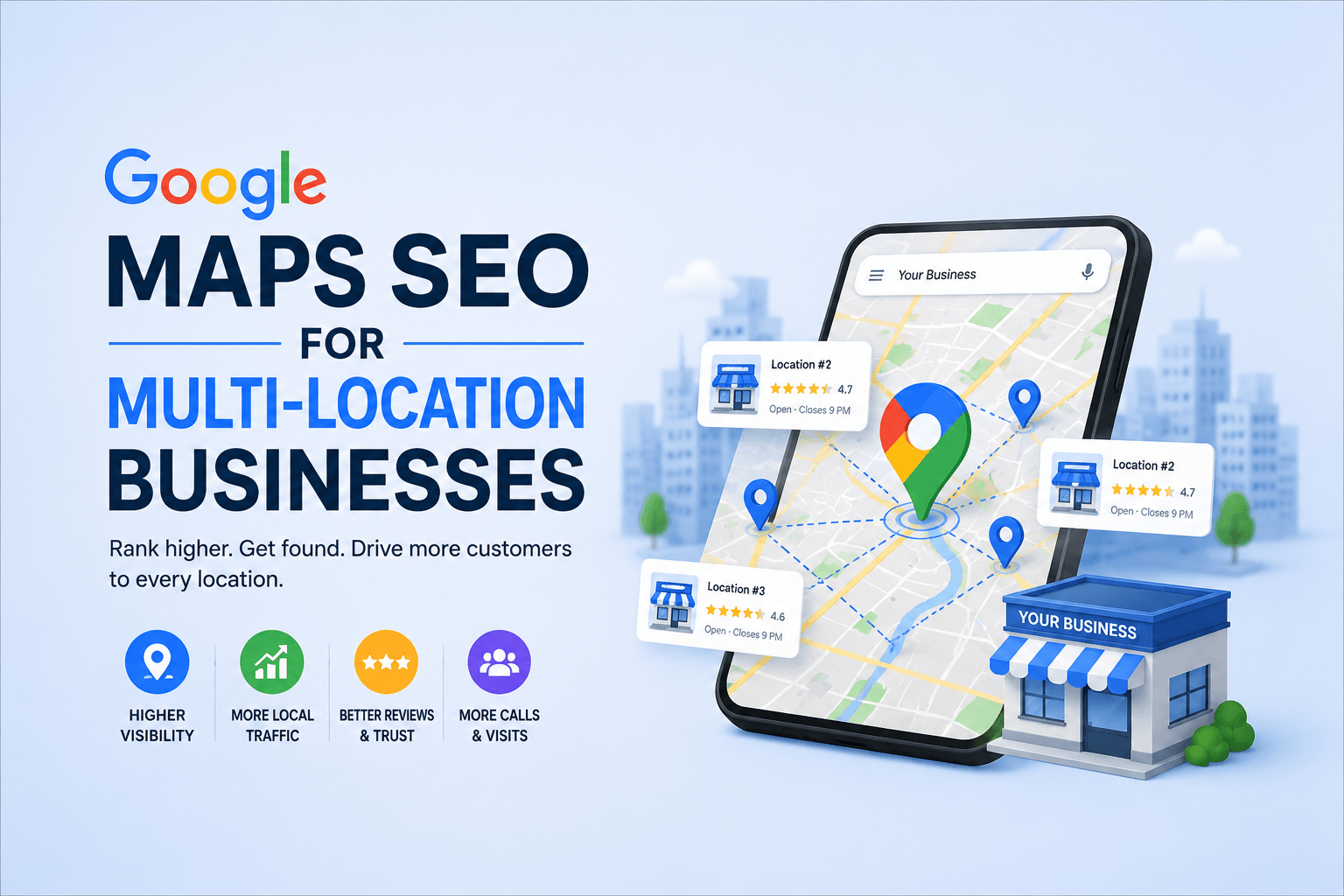
Google Maps multi location SEO is where most growing businesses quietly fall apart. You open a second location, copy your existing Google Business Profile setup, and expect the same results. You don’t get them — because multi-location local SEO is a fundamentally different discipline. Each location competes independently in its own local pack, needs its own optimized GBP entity, its own landing page, and its own citation footprint. Without a systematic approach, you end up with diluted rankings, inconsistent NAP data, and cannibalizing locations fighting each other in the SERPs.
This guide breaks down the full technical and strategic framework for ranking multiple business locations on Google Maps — the right way.
Why Multi-Location Local SEO Is a Different Game Entirely
When you operate a single location, Google’s local ranking algorithm evaluates one entity. When you operate multiple locations, Google must evaluate each location as an independent entity — each with its own proximity signals, review velocity, GBP optimization state, and landing page relevance.
If you want to optimize your Google My Business (GMB) Profile get back your deserve sale
Let’s connect.
Click a button below to talk or chat with us
The three core ranking factors for Google Maps — relevance, distance, and prominence — don’t pool across locations. A stellar reputation at your flagship store does almost nothing for your newly opened branch two cities away. Every location needs to build its own authority stack from scratch, even if they share a brand name.
This is why multi-location businesses often see inconsistent results: strong rankings in one market, invisible rankings in another. The gap almost always traces back to unequal GBP optimization, inconsistent NAP signals, or missing location-specific landing pages.
| Key Insight Multi-location local SEO is not about scaling one strategy — it’s about systematically deploying the same strategy independently at each location, then building brand signals that reinforce the whole network. |
1. Build the Right Google Business Profile Architecture
The foundation of Google Maps multi location SEO starts with your GBP architecture. Each physical location must have its own separate, fully verified Google Business Profile. There is no workaround for this — you cannot rank a single GBP listing in multiple distinct geographic markets.
Separate GBPs vs. Departments vs. Practitioners
Google provides three GBP models for organizations with multiple listings:
| GBP Model | When to Use It | Ranking Implication |
| Separate Location Profiles | Different physical addresses, same brand (restaurant chains, retail, clinics) | Each ranks independently in its local pack |
| Department Listings | Same address, distinct departments (hospital ER vs. Cardiology) | Co-rank at same address; separate review pools |
| Practitioner Listings | Individual professionals at a shared address (lawyers, doctors) | Person-level prominence; requires separate verification |
For most multi-location businesses, the answer is separate location profiles. Each one must be verified, fully completed, and treated as an independent SEO asset.
GBP Optimization Checklist Per Location
Before building citations or landing pages, make sure each individual GBP profile meets this baseline:
- Business name: Exactly the same as your storefront signage. No keyword stuffing (e.g., “Joe’s Plumbing — Best Plumber in Austin” violates Google’s guidelines).
- Primary category: Select the most specific category available for the actual service delivered at that location. Secondary categories extend coverage — use up to 9.
- Address: Must match the physical address precisely and consistently. Apartment/suite format must mirror what appears on your website and in citations.
- Phone number: Use a unique local phone number per location. Tracking numbers are acceptable only if they forward to a local number and are configured via UTM parameters.
- Website URL: Link to the location-specific landing page, not the homepage. This is critical for relevance and landing page authority flow.
- Business description: 300 characters visible in the local panel. Lead with the primary service category + city. Use semantic terms your customers actually search.
- Products/Services: Map your actual service menu. Each product/service can have its own description — a powerful entity-building opportunity most businesses ignore.
- Opening hours: Accurate and updated. Google uses hours accuracy as a trust signal — mismatches between hours on GBP vs. landing page create friction.
- Photos: Minimum 10 geotagged photos per location — exterior, interior, staff, and branded shots. Aim for 25+ over time. Consistent photo cadence improves GBP engagement metrics.
If you want to review what strong GBP optimization looks like at the single-location level, our complete GBP optimization guide walks through every section in detail.
2. Build Location-Specific Landing Pages That Actually Rank
Your GBP listing is the Map pin. Your location landing page is the authority foundation that makes the pin worth clicking. Without a properly optimized, unique, indexable landing page for each location, your GBP profile is running on borrowed authority.
Google’s local ranking algorithm uses your landing page as a relevance signal. The content on that page — service terms, location-specific language, structured data — all feed back into how Google understands and ranks your GBP entity.
URL Structure for Multi-Location SEO
Use a consistent, location-specific URL pattern across all branches:
| Pattern | Example | Recommended For |
| /locations/[city]/ | /locations/dallas/ | Service businesses, clinics, agencies |
| /[city]/ | /dallas/ | Lean architecture, strong brand domain |
| /[service]/[city]/ | /plumbing/dallas/ | Service x location matrix (multiple services) |
| /[city]-[service]/ | /dallas-plumbing/ | Flat site architecture |
Avoid using query strings or parameters for location pages (e.g., /?location=dallas). These are harder for Googlebot to crawl and do not carry the same indexation weight as clean static URLs.
What Makes a Location Landing Page SEO-Strong
Each location page must be genuinely unique — not a copied template with the city name swapped. Google’s Helpful Content system actively penalizes thin, duplicate location page farms. Here’s what the content must include:
- Unique H1: “[Service] in [City]” — e.g., “SEO Services in Dallas”. Primary keyword + location in the H1 is non-negotiable.
- Location-specific opening paragraph: Reference the neighborhood, district, or region. Mention what makes this location distinct — a local landmark nearby, years in the market, local clients served.
- LocalBusiness schema markup: Implement JSON-LD with @type: LocalBusiness (or a more specific subtype), name, address (PostalAddress), telephone, openingHoursSpecification, geo coordinates, and url pointing to the location page.
- Embedded Google Map: Embed the specific GBP listing for that location via iframe. This reinforces the entity connection between your landing page and your GBP.
- Location-specific testimonials/reviews: Pull reviews from customers who specifically mention the branch or city. Social proof anchored to place signals builds local trust.
- Service area coverage: List nearby cities and neighborhoods served from that location. This expands the geo-relevance of the page beyond the exact city.
- Driving directions or local access notes: Minor trust signal, but confirms this is a real, accessible location — not a virtual office.
| Critical Rule Never 301-redirect a location landing page to another page when a branch closes. Create a custom page that indicates the closure and redirect traffic to the nearest open location. Killing the URL destroys accumulated authority. |
3. NAP Consistency Across All Locations — The Detail Most Businesses Get Wrong
NAP stands for Name, Address, Phone Number. Across multi-location businesses, NAP inconsistency is the single most common technical local SEO failure. Google cross-references your business entity data across dozens of citation sources. When data conflicts, it creates uncertainty about the entity — and uncertain entities rank lower.
What NAP Inconsistency Looks Like in Practice
- “Suite 200” on your website vs. “Ste. 200” in Yelp vs. no suite listed in your GBP
- Different phone number formats: (214) 555-0101 vs. 214-555-0101 vs. +12145550101
- Slightly different business names: “Joe’s Plumbing” vs. “Joe’s Plumbing Co.” vs. “Joe’s Plumbing Services”
- Old address from a previous location still active in Yelp or Yellow Pages
- Franchisee-created GBP listings with inconsistent naming conventions
For multi-location businesses, NAP management requires a structured data governance system — a master spreadsheet that documents the exact NAP string for every location, used as the single source of truth across all citation submissions, website pages, and GBP profiles.
Citation Building Strategy for Multiple Locations
Citation strategy for multi-location businesses follows a tiered approach:
| Tier | Sources | Action |
| Tier 1 | Google, Bing Places, Apple Maps | Claim and fully optimize each location profile on all three platforms |
| Tier 2 | Yelp, Facebook, BBB, Foursquare | Submit all locations with exact NAP match — use bulk submission tools if 10+ locations |
| Tier 3 | Industry directories, local chambers | Prioritize directories specific to each location’s city/region — geo-specific citations carry higher local relevance weight |
| Tier 4 | Data aggregators: Foursquare, Neustar Localeze, Data Axle | Submit once to aggregators — they push data to hundreds of downstream directories automatically |
For businesses with 10+ locations, manual citation management is not scalable. Tools like BrightLocal, Yext, or Synup automate bulk citation distribution and suppression of duplicate listings.
For a deeper look at how search engines build and process citation data, our local keyword research guide covers how geo-intent signals interact with citation authority at the query level.
4. Review Velocity and Location-Level Review Strategy
Reviews are one of the most heavily weighted prominence signals in Google’s local ranking algorithm. For multi-location businesses, the challenge is generating consistent review velocity across every location — not just the flagship store.
A business with 4.9 stars and 800 reviews at one location and 3.8 stars with 12 reviews at another location is not “well-reviewed” — it has one well-reviewed location and one liability. Google treats each location’s review profile independently.
Systemizing Review Generation Across Locations
- Location-specific review request links: Google provides a unique Place ID and review URL for each GBP listing. Build a QR code and review request link for every individual location — not a generic brand page.
- Review request timing: The highest conversion window is immediately post-transaction or post-service. Automate SMS or email review requests within 1 hour of service completion, with the location-specific link pre-populated.
- Staff training: Front-line staff at each location should verbally request reviews at the point of service. A trained ask at checkout outperforms email campaigns in conversion rate.
- Review response protocol: Respond to every review — positive and negative — within 48 hours. For negative reviews, respond professionally and offer to resolve offline. Google views response rate as an engagement signal.
- Inter-location review equity monitoring: Build a weekly dashboard tracking review count and average rating per location. Flag any location falling below 4.0 stars or receiving fewer than 4 new reviews per month.
| Pro Tactic Never ask for reviews in bulk emails to your entire customer list across all locations — this is against Google’s review policies and can trigger a review filter that removes legitimate reviews. Send location-specific requests to customers who actually visited that specific branch. |
5. Internal Linking Architecture for Multi-Location Websites
Your internal linking structure is the connective tissue of your multi-location SEO system. It determines how PageRank flows between your homepage, service pages, and individual location pages — and how clearly Google understands your site’s geographic relevance architecture.
Recommended Internal Link Architecture
A well-structured multi-location website typically follows this hierarchy:
| Page Level | Page Type | Links To |
| Level 1 | Homepage | Service pillar pages + Locations hub |
| Level 2 | Service pillar page (/services/seo/) | Individual location pages + blog cluster |
| Level 2 | Locations hub (/locations/) | All individual location landing pages |
| Level 3 | Location landing page (/locations/dallas/) | Relevant service pages + blog content + GBP embed |
| Level 4 | Blog/supporting content | Relevant location pages + service pages + pillar |
The Locations hub is an often-underused asset. A well-structured /locations/ page that lists all branches with brief location-specific summaries creates a crawlable, indexable hub that passes authority to every branch page — and signals to Google that this is a multi-location entity, not a scattered collection of unrelated pages.
Internal linking also reinforces topical relevance. When your Dallas location page links to your on-page SEO checklist or your technical SEO guide, you’re building a semantic bridge between your local presence and your broader SEO content ecosystem — which strengthens topical authority signals across the site.
6. Schema Markup for Multi-Location Entities
Structured data is one of the most underused tools in multi-location local SEO. JSON-LD LocalBusiness schema communicates your location entity data directly to Google’s Knowledge Graph — making it easier for Google to understand, trust, and rank each location independently.
Required Schema Properties Per Location Page
- @type: Use the most specific subtype (e.g., Dentist, LegalService, HomeAndConstructionBusiness) rather than the generic LocalBusiness.
- name: Must match the GBP business name exactly.
- address: Use PostalAddress with streetAddress, addressLocality, addressRegion, postalCode, and addressCountry — must match GBP and citation NAP exactly.
- telephone: Match the local phone number on the GBP profile for that location.
- geo: Include GeoCoordinates with latitude and longitude — pulls from the GBP pin location.
- url: The canonical URL of the location’s landing page.
- openingHoursSpecification: Define exact open hours per day — use 24-hour format.
- hasMap: Link to the Google Maps URL for that specific GBP listing.
- sameAs: Array of URLs pointing to your Yelp, Facebook, and other authoritative directory profiles for that location. This explicitly connects your entity signals across the web.
- aggregateRating: Include if you surface review data on the page. Uses ratingValue, ratingCount, and bestRating.
For brands with 50+ locations, implementing location schema manually is not feasible. Use a CMS that supports dynamic schema generation — or a tag manager configuration that pulls location data from a structured data source and injects the correct JSON-LD per page.
Google’s documentation on LocalBusiness schema is the authoritative reference — see Google’s structured data reference for local businesses for the full property list and implementation guidelines.
7. GBP Posts, Q&A, and Engagement Signals Across All Locations
Google Business Profile is not a set-and-forget listing. It’s an active content channel. GBP Posts, Q&A management, and photo updates are ongoing engagement signals that influence both ranking and click-through rate in the local pack.
For multi-location businesses, the operational challenge is maintaining engagement across all profiles simultaneously. This requires a content calendar that assigns GBP post responsibilities per location on a consistent weekly or bi-weekly schedule.
GBP Post Strategy for Multi-Location Businesses
- Post frequency: Minimum one post per week per location. Posts expire after 7 days (standard posts) — consistency signals active management.
- Post types: Rotate between What’s New (promotions, announcements), Events (local events tied to that branch), Offers (time-limited discounts with redemption codes), and Products (feature specific service offerings).
- Location-specific content: Posts referencing local events, local team members, or location-specific offers perform better in the local pack than generic brand-level posts.
- Q&A management: Proactively seed your GBP Q&A section with common questions and well-optimized answers before customers ask them. This is a featured snippet opportunity within the GBP panel itself.
- Photo cadence: Add at least 2 new photos per month per location. Geotagged images from the actual address reinforce entity signals.
If you’re using location managers to handle GBP updates for individual branches, Google allows you to assign manager-level access per GBP listing without giving full account ownership. This makes delegation manageable at scale while maintaining central oversight.
8. The 6 Most Costly Multi-Location Local SEO Mistakes
| # | Mistake | Why It Kills Rankings |
| 1 | Linking all GBPs to the homepage | Homepage URL lacks geo-relevance signals. Each GBP must link to its own location landing page. |
| 2 | Duplicate location page content | Copied templates with swapped city names are thin content. Google’s quality systems flag them — often entire location page sets get devalued. |
| 3 | Single phone number across all locations | NAP data becomes ambiguous. Google cannot confidently associate a call action with a specific physical location. |
| 4 | Ignoring review equity between locations | Locations with thin review profiles rank poorly regardless of how strong the overall brand is. |
| 5 | Service area radius set too large | Setting a 200-mile service area around a local branch does not expand rankings — it confuses Google about the actual serving radius and can suppress local pack visibility. |
| 6 | Not suppressing duplicate GBP listings | Former locations, user-suggested duplicates, or Google-generated listings for the same address split review equity and create entity confusion. Audit and suppress regularly. |
For a broader view of local SEO fundamentals that apply to every location in your network, our local SEO for small businesses guide covers the baseline ranking signals you need to have right before scaling.
9. Tracking and Reporting: Measuring Multi-Location Performance
Reporting across multiple locations requires a more structured approach than single-location tracking. You need to measure each location’s performance independently while also identifying cross-location trends.
Core KPIs to Track Per Location
- GBP Insights: Views (search vs. maps), direction requests, calls, website clicks, photo views. Export monthly per location and track trends — declining photo views often precede ranking drops.
- Local pack position: Use a rank tracker that supports local pack (map pack) positions segmented by location. Tools like BrightLocal, Whitespark, or Local Falcon show you exactly where each location ranks for target keywords within its geo-grid.
- Review velocity: New reviews per month per location. Monitor the 4-week rolling average. A sudden drop in review velocity can indicate a policy issue or a suppression event.
- Landing page organic traffic: Track Google Search Console data per location URL. Compare click-through rate, impressions, and top queries for each location page independently.
- Citation accuracy score: Run monthly NAP audits via BrightLocal or Moz Local to catch data drift — citation sources sometimes revert to old data after updates.
For citation accuracy monitoring at scale, Moz Local’s multi-location management documentation outlines how to systematically audit and maintain NAP consistency across hundreds of locations and citation sources.
Multi-Location Google Maps SEO: Master Optimization Checklist
| ✓ | Task | Priority |
| ☐ | Separate verified GBP for every physical location | Critical |
| ☐ | Each GBP links to a unique location landing page URL | Critical |
| ☐ | NAP master document created and distributed to all stakeholders | Critical |
| ☐ | LocalBusiness JSON-LD schema on every location landing page | Critical |
| ☐ | Location-specific page content (not copy/paste templates) | High |
| ☐ | Location-specific review request links per GBP | High |
| ☐ | Tier 1–4 citations submitted with exact NAP match | High |
| ☐ | Locations hub page created and internally linked from homepage | High |
| ☐ | Weekly GBP posts scheduled per location | Medium |
| ☐ | GBP Q&A seeded with 5+ common questions per location | Medium |
| ☐ | Monthly GBP photo updates per location | Medium |
| ☐ | Geo-grid rank tracking active for all target locations | Medium |
| ☐ | Review velocity dashboard per location (weekly monitor) | Medium |
| ☐ | Duplicate GBP listing audit completed | High |
| ☐ | Service area boundaries set accurately per location | High |
| ☐ | Location landing pages cross-linked to relevant service pillar pages | Medium |
Frequently Asked Questions
Can I use one Google Business Profile for multiple locations?
No. Each physical location must have its own separate Google Business Profile. A single GBP can only rank in the immediate proximity of the address listed on that profile. Attempting to rank one listing across multiple cities violates Google’s GBP guidelines and typically results in the listing being suspended.
How do I handle service area businesses with multiple territories?
Service Area Businesses (SABs) that operate from a central office but serve multiple territories should use one GBP per physical office address, with the service area defined to cover the actual territory served from that location. Do not create virtual office GBPs or P.O. Box listings — Google suppresses these when discovered.
Does my domain authority carry over to each location’s ranking?
Partially. Your root domain’s authority influences how quickly Google trusts your location landing pages. However, each GBP listing ranks primarily on local signals: proximity, GBP optimization state, review profile, and citation consistency. Strong domain authority accelerates trust, but does not replace location-level optimization work.
How long does it take for a new location to rank on Google Maps?
A fully optimized new GBP with a complete location landing page, verified NAP in core citations, and an active review acquisition strategy typically begins appearing in the local pack within 60–90 days. Highly competitive markets may take 4–6 months. Review velocity and citation completeness are the biggest acceleration levers.
What happens to my rankings if I close a location?
Mark the GBP as permanently closed rather than deleting it — this preserves review history and prevents Google from regenerating a listing for the same address. Update the location landing page to reflect the closure and redirect traffic to the nearest active location page. Do not 301 the page to your homepage, as this destroys accumulated link equity.
Is it better to have a single website with location pages or separate websites per location?
Almost always a single website with well-structured location pages is preferable. Separate websites split domain authority and create an exponentially harder content marketing workload. The exception is franchise models where individual franchisees operate fully independent businesses under separate legal entities — in this case, individual websites with brand-level domain authority support may make sense.
How do I stop competitor or third-party GBP listings from appearing at my address?
Submit a Google Business Profile ownership claim for any listing at your address that you don’t control. For spam listings or fake competitors, use the ‘Suggest an edit’ feature to flag them as incorrect, or submit a Business Redressal Complaint through Google’s official channel. Consistent monitoring prevents third-party listings from accumulating authority at your location.

No responses yet