
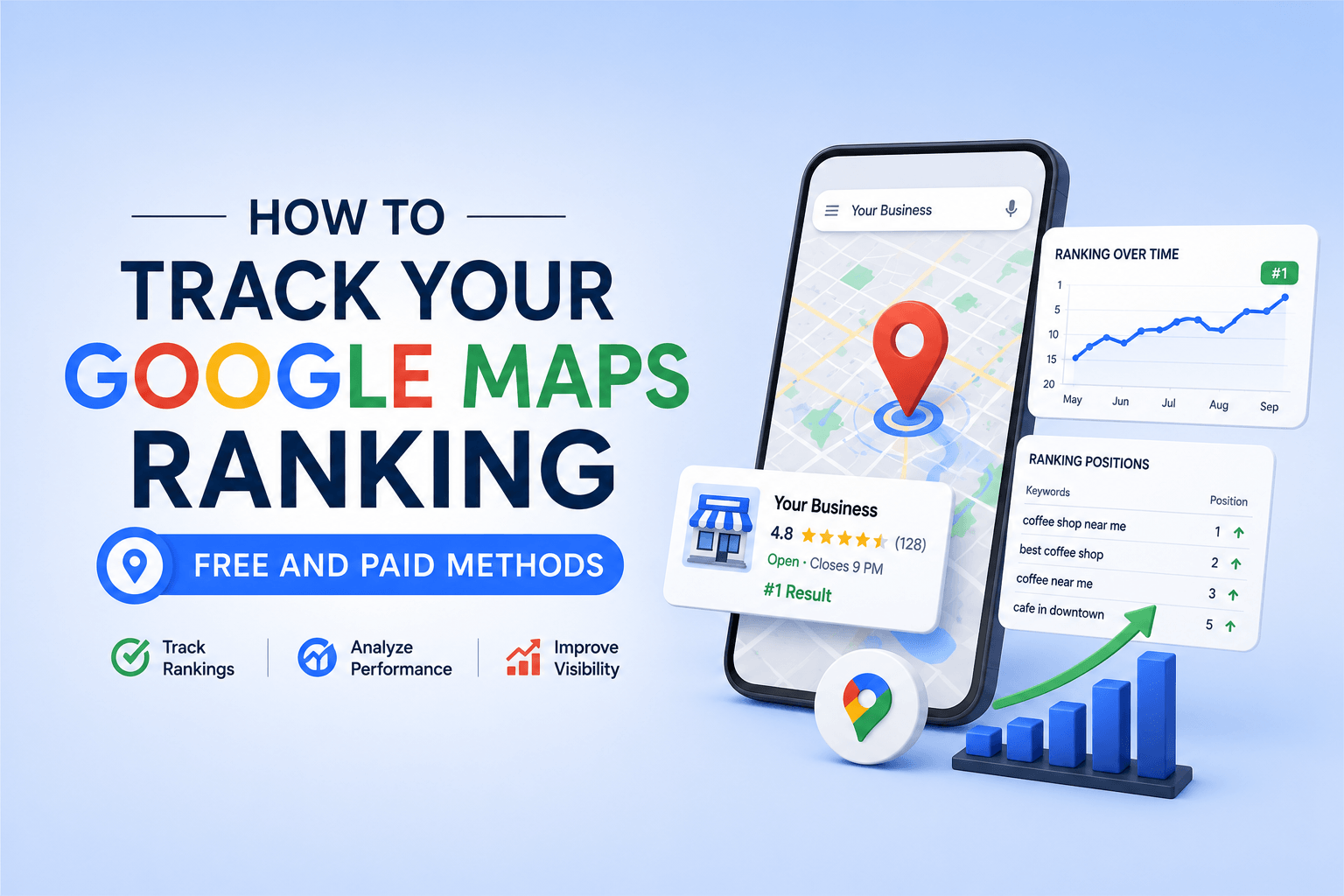
Track Google Maps ranking the right way and you stop guessing whether your local SEO efforts are working. Most business owners check their Google Business Profile (GBP) once in a while, notice their listing somewhere on the map, and assume things are fine. But local pack rankings are hyper-localised — your position in one neighbourhood can be completely different from your position three kilometres away. Without systematic rank tracking, you are flying blind on one of the highest-converting traffic sources in local search.
This guide walks through every method — from completely free tools to enterprise-grade rank trackers — so you can choose the right solution for your business size, budget, and workflow. You will also find a practical monitoring cadence and a quick-fix checklist for the most common causes of ranking drops.
Why Tracking Google Maps Rankings Is Different From Regular SEO
Organic blue-link rankings are relatively straightforward to monitor: you rank somewhere for a query, and that position is broadly consistent across the country. Local pack rankings inside Google Maps operate on an entirely different logic. Three variables create constant movement:
- Searcher location: Google uses IP address, GPS data, and device signals to personalise the local pack for every individual search. A user 800 metres from your shop sees a different 3-pack than one 3 km away.
- Query phrasing: ‘plumber near me’, ’emergency plumber London’, and ‘plumber Shoreditch’ can each trigger a different set of local pack results, even though the commercial intent is identical.
- GBP signals: Review velocity, photo recency, post frequency, and citation consistency all feed into the local ranking algorithm. Changes in any of these shift your position.
The implication is clear: checking your own Google Maps listing from your office tells you almost nothing meaningful about how customers in other parts of your service area actually see you. You need geo-grid rank tracking — also called local rank grid tracking — to get a reliable picture.
If you want to optimize your Google My Business (GMB) Profile and want to get back your deserve sale
Let’s connect.
Click a button below to talk or chat with us
Free Methods to Track Your Google Maps Ranking
1. Manual Search (Incognito + Location Spoofing)
The most basic approach: open a private browsing window, search for your target keyword, and look for your GBP listing in the local pack. The incognito window strips personalisation from your own browsing history.
To simulate a search from a different location, append the parameter &near=postcode or use Google’s URL parameter uule= to encode a specific geographic centroid. This is useful for a quick one-off check but scales poorly for ongoing monitoring — you cannot automate it without violating Google’s terms of service.
| Pro tip: Always log out of your Google account before manually checking. Even in incognito, a logged-in session can inflate your perceived ranking due to personalisation. |
2. Google Search Console — Impressions and Click Data
Google Search Console (GSC) does not show your local pack position directly, but the Performance report filtered by ‘Search type: Web’ and segmented by query gives you impression counts and CTR for branded and geo-modified keywords. A sudden drop in impressions for ‘your brand + city’ is a leading indicator of a local visibility problem.
Connect your GBP to GSC inside the Search Console dashboard. You will then see a separate tab for Maps-specific impressions, which is the closest free approximation of local pack visibility data available from Google directly.
3. Google Business Profile Insights
GBP Insights shows how customers found your listing (direct search vs. discovery search), what queries triggered your listing, direction requests, and phone-call actions. While it is not a rank tracker, Discovery Searches — queries where users were not searching for you by name — function as a proxy for non-branded local visibility.
Track the week-over-week trend in Discovery Searches. A sustained decline almost always correlates with a ranking drop, even if you cannot pinpoint an exact position.
4. Local Falcon (Limited Free Plan)
Local Falcon is purpose-built for geo-grid rank tracking. Its free tier allows a small number of grid scans per month. You define a centre point, set a grid radius, and the tool pings Google Maps from multiple simulated locations across that grid, returning your rank at each point. The output is a visual heat map — green for positions in the top 3, amber for 4–10, red for beyond page one.
Even the free version is far more informative than a single-point manual check. It shows you where you dominate, where you are on the boundary of the local pack, and which geographic zones have the biggest gap between your current rank and your target rank.
Paid Tools to Track Google Maps Rankings at Scale
| Tool | Geo-Grid Tracking | Keyword Limit | Best For | Pricing Tier |
| Local Falcon | Yes — leading geo-grid tool | Scan-based credits | SMBs & agencies | From ~$24/mo |
| BrightLocal | Yes — Local Search Grid | Unlimited keywords | Agencies & SMBs | From $29/mo |
| Whitespark | Yes — Local Rank Tracker | Per keyword/location | Citation-heavy campaigns | From $20/mo |
| Semrush Map Rank | Yes — inside Map Rank Tracker | Plan-dependent | Enterprise SEOs | Add-on to Semrush |
| GeoRanker | Yes — city-level heat map | Plan-dependent | Multi-location brands | From $99/mo |
Local Falcon — The Geo-Grid Standard
Local Falcon pioneered the geo-grid format and remains the most widely used dedicated tool for local pack rank tracking. You configure the grid size (3×3 to 13×13 points), the radius in kilometres or miles, and the keyword. Each scan point simulates a Google Maps search from that GPS coordinate and records your position.
The Average Grid Rank (AGR) metric gives you a single number representing your average position across the whole grid — useful for trend comparison over time. The Share of Local Voice (SoLV) metric shows what percentage of grid points you appear in the top 3 for, which is a more commercially meaningful metric than raw rank because positions 1–3 in the local pack capture the overwhelming majority of clicks and calls.
BrightLocal — Best for Agencies
BrightLocal’s Local Search Grid combines rank tracking with citation auditing, review management, and white-label reporting in a single platform. For agencies managing 10+ local clients, the consolidated reporting saves significant time. Its Citation Tracker and Rank Tracker modules work together: you can correlate citation gaps with ranking weaknesses on the same dashboard.
The platform also integrates Google Business Profile performance data, so you see GBP Insights alongside rank data in one place — reducing the number of tools in your local SEO stack.
Whitespark — Citation and Rank Together
Whitespark’s Local Rank Tracker is particularly strong for tracking rankings across Google Maps, Google organic, and Bing local in the same report. This multi-engine view is valuable when you want to understand whether a ranking drop is isolated to the local pack or is part of a broader algorithmic shift affecting your domain authority.
Semrush Map Rank Tracker
If you are already on a Semrush plan, the Map Rank Tracker add-on extends your existing keyword data into the local pack dimension. The key advantage is historical organic rank data alongside local rank data — if your organic rankings are stable while local pack rankings drop, the issue is specific to GBP signals (reviews, proximity weighting, or NAP consistency) rather than domain-level authority.
How to Set Up a Local Pack Rank Tracking System
Regardless of which tool you use, the setup process follows the same framework:
| No | Step | What to Do |
| 1 | Define your geo-target | Identify the postcodes, neighbourhoods, or service-area radius that matter most for revenue. Prioritise high-population-density zones closest to your GBP address. |
| 2 | Build your keyword set | Start with 5–10 primary commercial keywords: service + city, service + neighbourhood, service near me (use your city as the centroid). Expand to long-tail variants after baseline data is established. |
| 3 | Configure your grid | For a single-location business, a 7×7 grid at a 1–3 km radius is a good starting point. Expand the radius if you operate a service-area business with no physical walk-in location. |
| 4 | Run a baseline scan | Run your first scan before making any GBP optimisations. This is your pre-optimisation benchmark. Screenshot and export it — you will refer back to it constantly. |
| 5 | Schedule recurring scans | Weekly scans are ideal for active optimisation campaigns. Monthly scans are sufficient for maintenance mode once you are consistently in the top 3 for your priority keywords. |
| 6 | Log changes alongside data | Keep a simple log of every GBP change (new post, photos added, review responses, category changes) with dates. Correlating actions with ranking movements turns data into actionable insight. |
Key Metrics to Monitor Beyond Raw Position
A rank number alone is a vanity metric unless you tie it to business outcomes. Here are the metrics that experienced local SEOs track alongside geo-grid position:
| Metric | Why It Matters |
| Average Grid Rank (AGR) | Trend-line view of your overall geo-visibility. Watch for month-over-month movement rather than point-in-time snapshots. |
| Share of Local Voice (SoLV) | Percentage of grid points where you rank in the local 3-pack. Directly tied to traffic volume — the higher the SoLV, the more potential impressions and calls. |
| Direction Requests (GBP Insights) | Customers requesting directions are high-intent. A rising trend here is a lagging indicator that your local pack presence is improving. |
| Discovery Searches (GBP Insights) | Queries where users found you without searching your brand name. Growth here = improved non-branded local pack visibility. |
| Phone Call Actions | The most direct local SEO conversion metric. Track alongside rank data to calculate the estimated revenue impact of a position improvement. |
| Review Velocity | The rate at which new reviews arrive. Google weights recency — a business with 5 reviews per month outperforms one with 100 old reviews and no new ones. |
| Competitor AGR Delta | Track your top 2–3 local competitors on the same grid. Understanding whether you are gaining or losing relative share is more strategic than tracking absolute position. |
Ranking Drop Checklist: What to Do When Your Position Falls
| Important: Before assuming an algorithm update, check these eight items in order. Most local pack drops have a straightforward, fixable cause. |
- Check your GBP suspension status. A suspended GBP disappears from Maps entirely. Log in to GBP and confirm your listing is live and verified.
- Review NAP consistency. Name, Address, Phone (NAP) inconsistencies across your website, GBP, and local citations cause ranking dilution. Use BrightLocal or Whitespark to audit citation accuracy.
- Check for duplicate listings. Google sometimes creates duplicate GBP listings, especially after address changes or merges. Multiple listings split your review equity and ranking signals.
- Audit your primary and secondary categories. An incorrect primary GBP category is one of the most impactful single-field errors in local SEO. Verify it matches your core service offering and the keywords you are targeting.
- Review your recent review velocity. A sudden spike of negative reviews or a complete stop in new reviews both affect local ranking. Respond to all reviews and implement a systematic review request workflow.
- Check for a Google algorithm update. Cross-reference your ranking drop date with the Google Search Status Dashboard and community resources like the Local Search Forum. If competitors dropped simultaneously, the cause is algorithmic rather than listing-specific.
- Inspect your website’s local signals. Your GBP links to your website. If your site speed deteriorated, if your NAP on the contact page changed, or if your homepage’s local relevance signals weakened, your local pack rankings will reflect it.
- Review GBP photo and post freshness. Google rewards active GBP management. If you have not posted in 30+ days or your photos are outdated, refresh your content and observe whether rankings recover over the following 2–4 weeks.
Building a Complete Local SEO Monitoring Stack
Rank tracking is one layer of local SEO monitoring, not the whole picture. A complete local search monitoring stack connects rank data to the broader optimisation system you have in place. Start with a solid Google Business Profile setup and optimisation — your GBP is the single most important local ranking asset and every tracking metric you monitor flows through it.
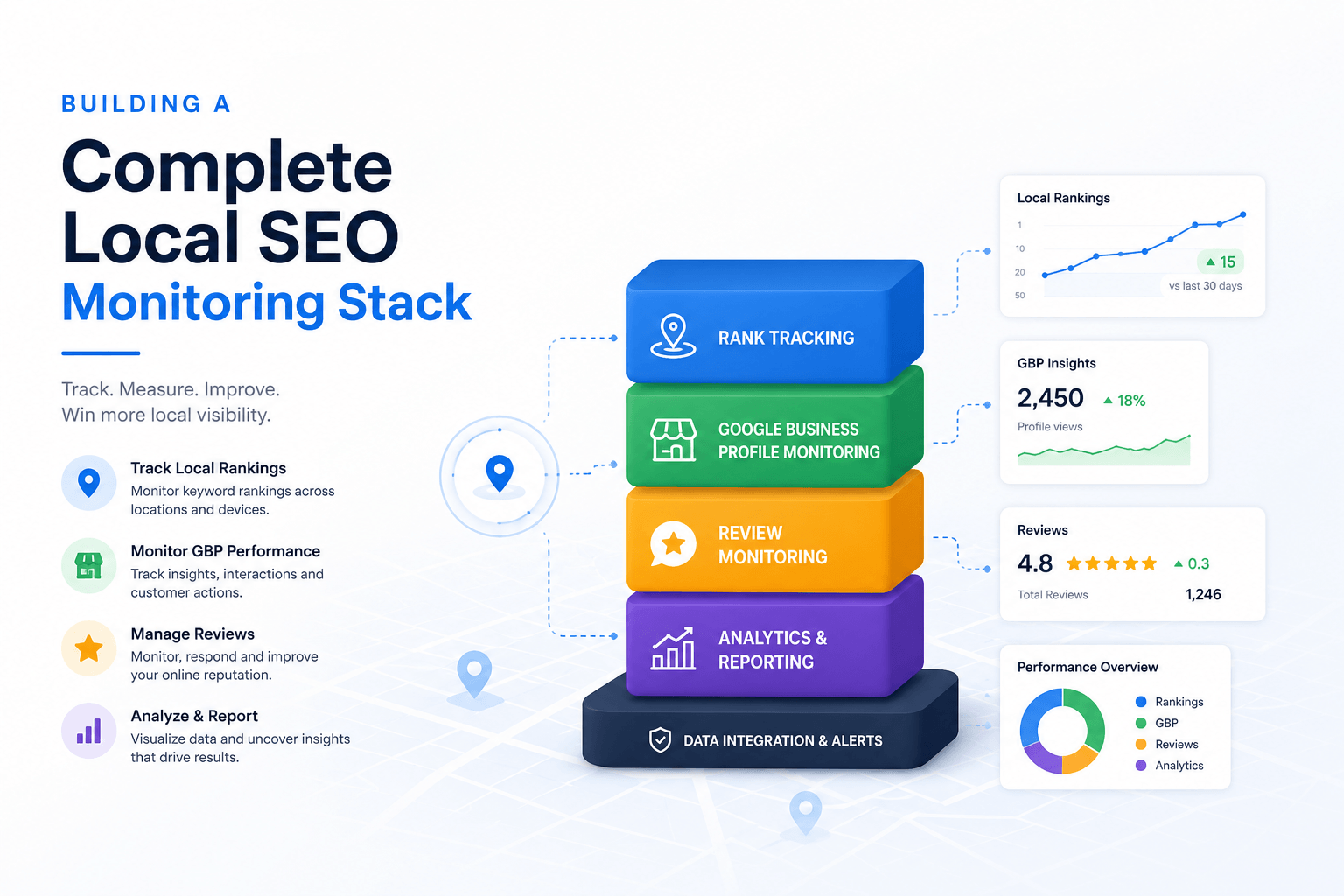
From there, connect your rank data to a structured local keyword research process so your geo-grid scans are tracking the terms your customers actually use, not just the terms you assume they use. Keyword intent alignment is what separates local SEO campaigns that generate leads from those that simply achieve high positions for low-commercial-value queries.
For the underlying search principles that govern how Google evaluates local relevance, review the fundamentals in the Search Engine Optimization (SEO) overview and the technical foundations covered in Technical SEO for Beginners. Both resources explain how organic signals — domain authority, Core Web Vitals, structured data — reinforce your local pack performance.
Finally, your content strategy cannot operate in isolation from your local visibility data. The Local SEO for Small Businesses guide and the supporting cluster article on GBP optimisation best practices show how to translate rank tracking insights into concrete on-page and off-page actions that move your position across the geo-grid.
What Google Says About Local Ranking Factors
Google’s own guidance on local search ranking identifies three primary signals: relevance (how well your listing matches the query), distance (proximity of your business to the searcher), and prominence (how well-known and authoritative your business is). You can review the official explanation directly in Google’s local ranking documentation on Google Business Profile Help.
For data-driven benchmark comparisons, Moz’s Local Search Ranking Factors study publishes annual survey data from local SEO practitioners on the relative weight of GBP signals, review signals, on-page signals, link signals, and behavioural signals. This is the most comprehensive third-party consensus on what moves local pack rankings and is required reading for any serious local SEO practitioner.
Local Pack Rank Tracking — Optimisation Checklist
| ✓ | Action Item |
| ☐ | Set up geo-grid rank tracking for your top 5 commercial keywords |
| ☐ | Configure tracking at a radius that matches your real service area |
| ☐ | Run a baseline scan before making any optimisation changes |
| ☐ | Schedule weekly scans during active campaigns; monthly for maintenance |
| ☐ | Connect Google Search Console to your GBP for Maps impression data |
| ☐ | Monitor Share of Local Voice (SoLV) alongside raw rank position |
| ☐ | Track your top 2–3 competitors on the same keyword/grid setup |
| ☐ | Log every GBP change with timestamps to correlate actions with ranking movement |
| ☐ | Audit NAP consistency across your website, GBP, and all local citations |
| ☐ | Review GBP Insights weekly for Discovery Search and phone call trends |
| ☐ | Set up a review request workflow to maintain positive review velocity |
| ☐ | Run a ranking drop checklist immediately when you see a position fall |
Frequently Asked Questions
1. How often should I track my Google Maps ranking?
During an active local SEO campaign — when you are making changes to your GBP, building citations, or generating reviews — weekly geo-grid scans give you the tightest feedback loop. For a mature, stable listing where you are comfortably in the top 3, monthly scans are sufficient. Avoid daily scanning: local pack rankings have natural fluctuation within a 1–2 position range that is algorithmically normal, not a signal of a real change.
2. Why does my Google Maps ranking change by location?
Google’s local search algorithm weights proximity heavily. A user searching from 500 metres away will almost always see your listing higher than a user searching from 5 km away, assuming all other signals are equal. This is why a single-point rank check from your office gives a false impression of your true geo-grid visibility. Distance is one of the three core local ranking signals (alongside relevance and prominence) according to Google’s own documentation.
3. What is geo-grid rank tracking?
Geo-grid rank tracking (also called local rank grid tracking or map grid tracking) is a method of measuring your local pack position at multiple GPS coordinate points across a defined geographic area simultaneously. Tools like Local Falcon and BrightLocal simulate searches from each grid point and record your rank, producing a visual heat map of your local visibility across your full service area — rather than a single-point snapshot.
4. Can I track Google Maps rankings for free?
Yes, within limits. Manual incognito searches with location parameters give you one-point checks at no cost. Google Business Profile Insights provides proxy data via Discovery Searches. Local Falcon’s free tier allows a small number of geo-grid scans per month. For serious ongoing monitoring — especially for service-area businesses or multi-location brands — a paid tool is necessary for the data volume and historical trend analysis required.
5. How long does it take to improve Google Maps ranking after optimisation?
Minor GBP optimisations (adding photos, responding to reviews, updating business hours) can produce visible ranking movement within 2–4 weeks. More significant changes — like correcting NAP inconsistencies across dozens of citations or recovering from a GBP suspension — typically take 6–12 weeks to fully reflect in geo-grid rank data. Review velocity improvements, where you generate a sustained flow of new reviews, generally show ranking impact over a 60–90 day window.
6. Does Google Business Profile category affect my ranking?
Yes — significantly. Your GBP primary category is one of the highest-weighted single signals in the local ranking algorithm. It tells Google what type of business you are and directly determines which queries your listing is eligible to rank for in the local pack. Secondary categories add relevance breadth. If your primary category is even slightly misaligned with your core service offering, you will underrank for your most important commercial keywords regardless of how strong your other GBP signals are.
7. What should I do if my Google Maps ranking suddenly drops?
Work through the ranking drop checklist in this guide: check GBP suspension status, audit NAP consistency, look for duplicate listings, verify your primary category, review your recent review velocity, cross-check Google’s algorithm update history, inspect your website’s local signals, and assess GBP content freshness. Most drops have a specific, identifiable cause. If you cannot identify it after this audit, run a competitor geo-grid comparison — if your competitors dropped simultaneously, the cause is algorithmic and will typically self-correct.

No responses yet