
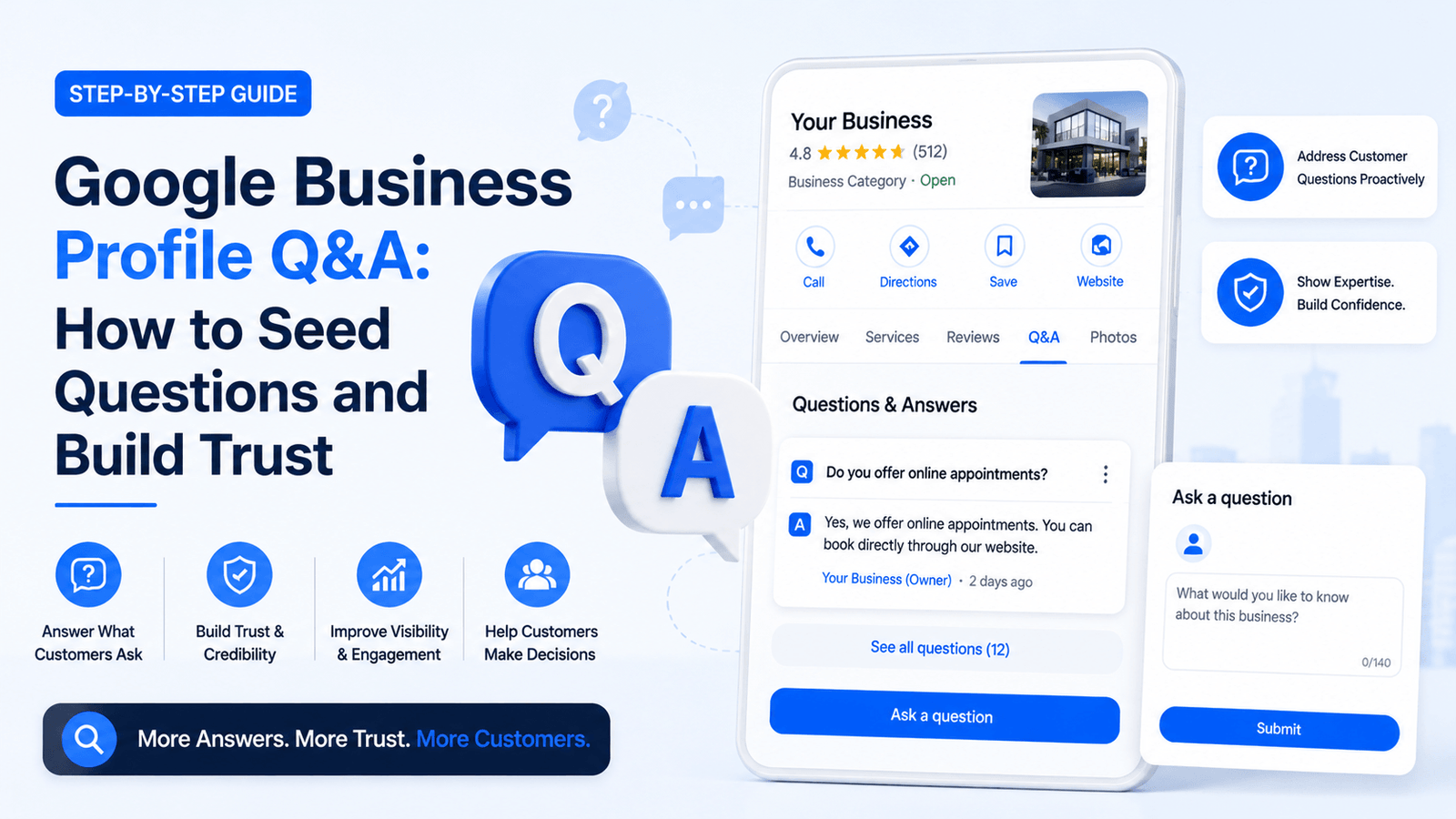
The Google Business Profile Q&A section is one of the most underused — and most misunderstood — features in local SEO. It sits directly on your business listing in Google Search and Maps, publicly visible to every searcher who finds your profile. Yet most business owners either ignore it completely or have no idea they can shape it before customers do. That is a significant missed opportunity. This guide covers exactly how to seed your Q&A section with the right questions, write answers that build credibility, and use the feature as a trust-building and conversion tool — not an afterthought.
What Is the Google Business Profile Q&A Section?
The Q&A section on a Google Business Profile allows any signed-in Google user to ask a question about your business — and any signed-in user can answer it. That second part is what makes it dangerous to ignore. If you are not proactively managing your Q&A, strangers are potentially answering questions about your business with inaccurate or incomplete information.
The Q&A section appears directly on the Knowledge Panel in Google Search and in the listing view on Google Maps. On mobile, it is often among the first things a searcher sees after your reviews and business hours. Google also indexes Q&A content, meaning relevant answers can appear in organic search results.
How Q&A Differs from GBP Posts
Many business owners conflate the Q&A section with GBP Posts. They serve different purposes and function differently. Here is a clear comparison:
| Feature | GBP Q&A Section | GBP Posts |
| Initiated by | Anyone (customers, owners) | Business owner only |
| Stays permanently | Yes (unless removed) | Expires after 7 days |
| Shows in Maps | Yes | Sometimes |
| Indexed by Google | Yes | Yes |
| Upvote system | Yes | No |
| Structured data potential | High (FAQ schema) | Limited |
| Requires monitoring | Critical — public answers | Moderate |
The most critical distinction: Q&A content is permanent and public. A post expires in seven days. A seeded Q&A answer stays on your profile indefinitely and can accumulate upvotes that push it higher in visibility. That permanence is both the opportunity and the risk.

Want to optimize your GMB profile to rank higher against the competitor?
Click the buttons below to Talk OR Chat to the expert
Why Seeding Your Q&A Section Is a Legitimate SEO Strategy
Seeding means proactively posting questions to your own GBP using a personal Google account (separate from your business account) and then answering those questions from your business account. This is explicitly permitted by Google. According to Google’s Business Profile Help documentation, business owners are encouraged to answer questions and can ask and answer their own questions as part of managing their listing.
The SEO rationale is straightforward. When you seed your Q&A section before customers do, you control the narrative. You select the questions that matter most to your ideal customers and craft answers that are accurate, trust-building, and naturally keyword-rich. You prevent misinformation. And you create a resource that improves conversion — a searcher who has their questions answered on the profile is more likely to call, visit, or book.
From a topical relevance perspective, Q&A content adds additional semantic signals to your profile. If your business answers questions about “emergency plumbing in Chicago” or “gluten-free bakery options near me,” you are reinforcing the topical relevance of those terms to your listing without keyword stuffing your description.
For a comprehensive look at how local listing signals fit into the broader picture, see the guide on local SEO for small businesses for deeper context.
How to Seed Questions on Your Google Business Profile Q&A
Seeding your Q&A section is a simple three-step process, but doing it correctly requires understanding the mechanics.
Step 1: Identify the Right Questions to Seed
Start by listing the questions you are asked most frequently — by phone, email, in-person, or in reviews. These are your highest-priority seeds because they reflect real customer intent. Supplement that list with:
- Questions that address pricing, service scope, or availability
- Questions that cover objections or hesitations (“Do you offer guarantees?”)
- Questions that highlight your unique value proposition
- Questions that naturally incorporate local or service-based keywords
- Questions that address access, parking, or logistical concerns for physical locations
Step 2: Post Questions from a Personal Google Account
Sign out of your business Google account and sign in to a personal account. Navigate to your GBP listing on Google Search or Maps, scroll to the Q&A section, and click “Ask a question.” Type the question naturally — do not make it sound like a marketing copy. Frame it the way a real customer would ask.
After submitting, you can optionally upvote the question using the same personal account to increase its visibility. For questions you want to feature prominently, you can also ask trusted customers or team members to upvote the question from their own accounts — organically, not through any paid or incentivized scheme.
Step 3: Answer from Your Business Account
Switch to your business account, return to your GBP listing, and post the official answer. Answers posted from the verified business account are labelled “Response from the owner,” which carries more weight in a searcher’s eyes than an answer from a random Google user.
Write your answer as if you are speaking directly to a potential customer — first person, professional tone, specific and accurate. Do not write generic answers. Specificity is what builds trust.
7 High-Impact Questions to Seed on Any Business Profile
These templates work across most business types. Adapt the bracketed fields to match your specific business, services, and location.
| Question to Seed | Why It Works | Keyword Signal |
| What services does [Business] offer? | Surfaces core offerings directly in Maps | Services + business name |
| Is [Business] open on weekends? | Addresses high-frequency searcher concern | Hours, availability |
| Do you offer free consultations? | Pre-qualifies leads before they call | Free, consultation, pricing |
| What areas does [Business] serve? | Triggers local service area signals | Location + service area |
| How long has [Business] been operating? | Builds credibility and trust signals | Established, experience |
| Do you accept [payment method]? | Removes friction in the conversion path | Payment, booking |
| What makes [Business] different from competitors? | Opens door for a powerful differentiation answer | USP, comparison intent |
Notice that each seed question targets a specific concern or decision point in the customer journey. Informational questions build trust. Logistical questions remove friction. Comparison questions give you an opening to differentiate. Together, they serve a searcher across multiple stages of intent.
How to Write GBP Q&A Answers That Actually Convert
The answer is where most businesses underperform. They treat Q&A answers like a legal disclaimer — vague, non-committal, and generic. High-converting answers follow a different structure.
The Three-Part Answer Formula
- Confirm the question directly. Open with a clear, direct response. Do not start with “Great question!” or “It depends.” Answer it immediately.
- Add context or specifics. Provide the relevant detail that a searcher needs to make a decision. Include hours, service areas, pricing tiers, or qualifications where applicable.
- End with a soft call to action. Invite the searcher to the next step — call, book, visit, or message — without being pushy.
Example — Poor answer to “Do you offer free consultations?”
Yes, we offer free consultations. Please contact us for more information.
Example — High-converting answer:
Yes — we offer a free 30-minute strategy consultation for all new clients. During that session, we review your current situation, identify your biggest priorities, and outline what a working engagement would look like. No pressure, no obligation. You can book directly through our website or give us a call at [phone number] — we typically have availability within 2 to 3 business days.
The second answer is specific, trust-building, and removes uncertainty. It does more conversion work in a single paragraph than most business websites do in an entire About page.
For more on how to structure content that converts across search contexts, the on-page SEO checklist includes intent-matching principles that apply equally to Q&A answers.
Q&A Best Practices and What to Avoid
Executing a strong Q&A strategy comes down to the quality of your execution. Here is a clear reference for what works and what creates problems:
| ✓ DO THIS | ✗ AVOID THIS |
| Write answers in first person (“We offer…”) | Answer with third-person generic info |
| Include 1–2 natural keyword mentions per answer | Stuff answers with repetitive keywords |
| Address the exact concern behind the question | Give a vague or partial response |
| Keep answers under 200 words — focused and clear | Write essay-length answers that lose readers |
| Upvote seeded questions from a secondary account | Create fake reviews or fake Q&A activity |
| Monitor Q&A weekly for new public submissions | Let the section go unmonitored for months |
| Flag and report irrelevant or spam questions | Leave spam questions visible to searchers |
Monitoring and Managing Your GBP Q&A Ongoing
Seeding is a one-time foundation. Monitoring is a permanent operational responsibility. New questions can appear at any time — from curious searchers, from competitors trying to plant damaging questions, or from bots. Each unanswered or spam-answered question is a potential conversion leak.
What to Monitor Weekly
- New questions submitted by Google users
- Third-party answers to existing questions (inaccurate or misleading responses)
- Upvote patterns on questions and answers
- Spam or irrelevant questions that should be flagged
How to Flag and Remove Problematic Questions
You cannot delete questions outright, but you can flag them for Google review. Navigate to the question, click the three-dot menu, and select “Report.” Choose the appropriate violation category — spam, off-topic, or inappropriate content. Google typically reviews flagged content within a few days. For persistent spam issues, you can also contact Google Business Profile support directly.
For context on how GBP management fits into the full optimization workflow, the complete guide to Google Business Profile optimization is the foundational pillar resource for this cluster.
Q&A, Schema Markup, and Featured Snippet Opportunities
One of the underutilized advantages of a well-managed Q&A section is its relationship to structured data. Google’s FAQ schema and Q&A schema markup can be applied to your website to mirror the Q&A content from your GBP — and vice versa.
According to Google’s Structured Data documentation, FAQ schema enables your page content to appear as expandable dropdowns directly in search results. If your website FAQ section mirrors the questions and answers you have seeded on your GBP, you create a consistent, authority-building answer ecosystem across both your website and your listing.
This is a particularly high-value tactic for service businesses targeting informational queries. A searcher who sees your brand answer their question in organic search, in the Featured Snippet, AND on your GBP listing is experiencing a brand trust signal at three touchpoints before ever reaching your website.
The GBP Posts guide covers how to use GBP Posts alongside Q&A to create a content presence across your listing that compounds over time.
Using Q&A to Support the Full GBP Optimization System
The Q&A section does not operate in isolation. It is one layer in a multi-signal optimization system. When integrated with a strong business description, accurate NAP data, optimized photo set, and consistent review management, a seeded and monitored Q&A section adds meaningful local relevance depth.
Think of it this way: Google is trying to determine which business in your category and location is most likely to satisfy the searcher’s intent. Every piece of accurate, helpful, specific content on your profile — including Q&A — is evidence Google uses to make that determination. A competitor with an empty Q&A section and a competitor with seven well-written, keyword-contextual Q&A answers are not equal in Google’s evaluation.
For a complete picture of how GBP Products and Services interact with Q&A and other listing elements, review that guide to understand how each section reinforces the others.
If you have not yet completed your initial GBP setup, the guide on how to set up your Google Business Profile from scratch is the right starting point before optimizing individual sections.
Frequently Asked Questions
Can anyone ask a question on my Google Business Profile Q&A?
Yes. Any Google user who is signed in can submit a question on your Google Business Profile Q&A section. You do not need to approve questions before they appear publicly. This is why monitoring the section weekly is non-negotiable — unanswered or spam questions are visible to every potential customer.
Can I ask questions on my own Google Business Profile Q&A?
Yes. You can post questions using a personal Google account (not your business account) and then switch to your business account to provide the official answer. This is the standard method for seeding your Q&A section with high-value questions. Make sure the questions you seed reflect genuine customer concerns.
Do Google Business Profile Q&A answers affect local SEO rankings?
Indirectly, yes. While Google has not confirmed Q&A as a direct ranking factor, Q&A content is indexed and can appear in search results. Naturally using relevant keywords in your answers strengthens your profile’s topical relevance and can improve visibility for long-tail local queries.
What happens if I don’t answer a question on my GBP Q&A?
Any Google user can answer the question on your behalf — including competitors or people with inaccurate information. Unanswered questions also signal to searchers that the business is unresponsive, which damages trust. Always answer within 24–48 hours.
How many questions should I seed in my Google Business Profile Q&A?
Start with 5 to 7 foundational questions covering your core services, hours, location, pricing, and unique value proposition. Add more over time as you identify recurring questions from actual customers. Avoid adding 20 questions at once — a gradual, natural-looking build is more credible.
Can I delete questions from my Google Business Profile Q&A?
You cannot directly delete questions. However, you can flag questions as inappropriate if they are spam, off-topic, or violate Google’s policies. Google will review and may remove them. For questions that are simply inconvenient, your best approach is to provide a clear, professional answer that frames the issue correctly.
How does the upvote system work in GBP Q&A?
Users can upvote both questions and answers. Questions and answers with more upvotes are more likely to be shown prominently on the business profile. This is why seeding strong questions and then upvoting them through a secondary account (not the business account) is a legitimate visibility strategy.

No responses yet