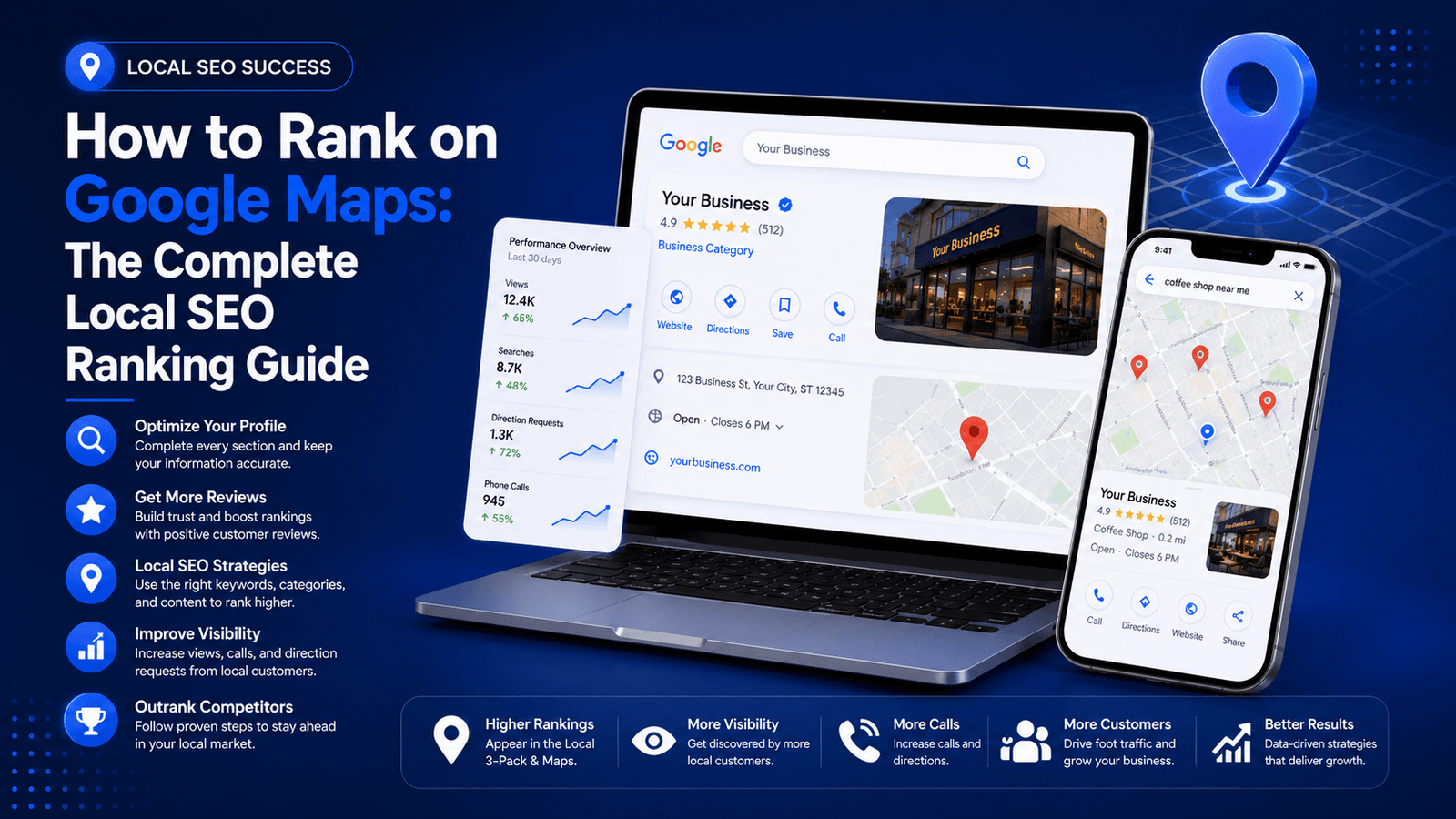
How to rank on Google Maps is one of the most searched questions by local business owners — and for good reason. The local 3-pack now appears above organic results for nearly every service-based query, making Google Maps visibility one of the highest-ROI investments a local business can make. If your business isn’t showing up there, you’re invisible to the customers who are closest to buying.
This guide breaks down every confirmed ranking factor Google uses for local pack placement — from your Google Business Profile setup to citation authority, review signals, behavioral metrics, and on-site local SEO. Whether you’re a brick-and-mortar shop, a service-area business, or a professional practice, this is the exact framework that moves the needle.
Why Google Maps Rankings Are Different From Regular SEO
Organic Google rankings depend primarily on content quality, backlink authority, and topical relevance. Google Maps rankings operate on a different algorithm — one built around three core signals:
| Ranking Signal | What It Measures | Weight |
| Relevance | Does your business match what the searcher is looking for? | High |
| Distance | How close is your business to the searcher’s location? | High |
| Prominence | How well-known and authoritative is your business online? | High |
Google makes this framework explicit in its own documentation. According to
Google’s local ranking documentation, these three factors — relevance, distance, and prominence — are the foundation of every local placement decision. Understanding which of these you can directly control is the starting point for any Google Maps SEO strategy.
Step 1: Claim and Fully Optimize Your Google Business Profile
Your Google Business Profile (GBP) is the single most important ranking asset for Google Maps visibility. An incomplete or unverified profile is the most common reason businesses don’t appear in local results — and it’s entirely fixable.
Business Name, Category, and Description
Use your exact legal business name. Don’t keyword-stuff your business name — this violates Google’s guidelines and can result in suspension. Your primary category is the most important field in your entire profile; choose the one that most precisely describes what you do, not what sounds broadest.
Your business description should naturally include your primary service keywords and the city or region you serve. Write it for humans first — but make sure the language aligns with how people search. For example: “Certified plumbing company serving Austin TX — emergency repairs, drain cleaning, and pipe replacement.”
Services, Products, and Attributes
Use the Services section to list every specific service you offer. Each service entry is a relevance signal. A plumber who lists “water heater installation,” “sewer line repair,” and “bathroom remodeling” separately ranks for each of those terms — not just the broad category.
Attributes are underused by most businesses. Labels like “women-owned,” “wheelchair accessible,” “free parking,” or “accepts cryptocurrency” are relevance filters users apply when searching. Fill every applicable attribute.
Business Hours, Photos, and Q&A
Accurate hours prevent Google from downranking your profile for providing a poor user experience. Add high-quality photos regularly — profiles with 100+ photos receive significantly more direction requests and website clicks than profiles with fewer than 10. Use real location photos, not stock images.
Seed your Q&A section with the most common questions your customers ask. Answer them yourself with detailed, keyword-rich responses. This section is indexed by Google and contributes to profile completeness signals.
Google Business Profile Optimization Checklist
- Business name matches exactly as it appears in the real world
- Primary category selected with maximum precision
- Secondary categories added where relevant
- Business description written (750 characters, keyword-relevant)
- All services listed individually with descriptions
- Attributes filled out completely
- Business hours accurate and updated for holidays
- 10+ high-quality location photos uploaded
- Q&A section seeded with 5–10 FAQs
- Profile verified via Google’s verification process
- Website URL and phone number accurate
Step 2: Build NAP Consistency Across the Web
NAP stands for Name, Address, and Phone number. Consistent NAP data across your website, social profiles, and business directories is a foundational trust signal for Google Maps rankings. Inconsistencies — even minor ones like “St.” vs. “Street” — erode the confidence Google has in your business legitimacy.
Where NAP Consistency Matters Most
| Platform Type | Examples | Priority |
| Primary Directories | Google Business Profile, Bing Places, Apple Maps | Critical |
| General Directories | Yelp, Yellow Pages, Foursquare, Hotfrog | High |
| Industry-Specific Directories | Houzz (home services), Zocdoc (healthcare), Avvo (legal) | High |
| Social Media Profiles | Facebook Business Page, LinkedIn Company Page | Medium |
| Your Own Website | Contact page, footer, schema markup | Critical |
The fastest way to audit your NAP consistency is to search your business phone number in quotes in Google. Every result that shows a variation of your name or address is a citation that needs correction. Tools like BrightLocal’s Citation Tracker automate this process at scale.
For more depth on local citation building as a ranking strategy, read Local SEO for Small Businesses: Rank on Google Maps and Get Local Clients — it covers the full citation ecosystem and how to prioritize directory submissions by domain authority.
Review signals are among the strongest prominence indicators in the local algorithm. Google considers review quantity, recency, response rate, and the semantic content of reviews — including whether reviews mention your services or location.

Want to rank your Google Business Profile in Google Maps? Let’s connect to the expert.
Click the buttons below to Talk OR Chat to the expert
How to Get More Google Reviews (Without Violating Guidelines)
- Ask every satisfied customer immediately after service — the conversion rate is highest when the experience is fresh
- Send a follow-up SMS or email with a direct link to your Google review page (create a short link via your GBP dashboard)
- Train your team to verbally request reviews at checkout or project completion
- Add a review request link to your email signature and post-purchase email sequences
- Use signage at your physical location with a QR code linking directly to your review form
How to Respond to Reviews
Respond to every review — positive and negative. For positive reviews, personalize your response and include your location + service naturally (e.g., “Thank you for trusting us with your HVAC installation in North Austin”). These responses are indexed by Google and add keyword signals.
For negative reviews, respond professionally, acknowledge the concern, and offer a resolution path. Never argue. Google actively demotes profiles with unresolved negative feedback patterns.
| Want to see how your Google Business Profile is performing right now? Check the ‘Performance’ tab in your GBP dashboard — it shows search impressions, direction requests, and call clicks broken down by keyword. |
Step 4: Optimize Your Website for Local Relevance Signals
Your website is not just a destination — it’s a local relevance validator for Google’s local algorithm. A well-optimized site sends confirmation signals that reinforce your GBP data and help Google trust your location claims.
On-Page Local SEO Elements
- Local keyword in title tag and H1: Example: “Plumbing Services in Austin, TX | 24-Hour Emergency Repairs”
- Location-specific landing pages: If you serve multiple cities, build a dedicated page for each — not one page that lists 20 cities
- Embedded Google Map: Embed an interactive Google Map showing your business location on your Contact page
- Local schema markup: Implement LocalBusiness schema with your NAP, business hours, and service area using JSON-LD
- Internal links to location pages: Link from your homepage and blog posts to your city-specific service pages
LocalBusiness Schema Markup Example
Adding structured data to your website gives Google a machine-readable confirmation of your business data. Here’s what a basic LocalBusiness JSON-LD block should contain:
| {“@context”: “https://schema.org”, “@type”: “LocalBusiness”, “name”: “Your Business Name”, “address”: { “@type”: “PostalAddress”, “streetAddress”: “123 Main St”, “addressLocality”: “Austin”, “addressRegion”: “TX” }, “telephone”: “+1-512-000-0000”, “url”: “https://yourdomain.com”, “openingHours”: “Mo-Fr 08:00-18:00”} |
For a complete breakdown of on-page technical signals, visit Technical SEO for Beginners: Site Speed, Crawlability & Core Web Vitals — the same technical foundations that support organic rankings also reinforce your local visibility.
Step 5: Build Local Citations and Directory Listings
A local citation is any online mention of your business name, address, and phone number — with or without a link. Citations build prominence signals in Google’s local algorithm. The more consistent, authoritative citations you have, the more confident Google becomes in your business’s legitimacy.
Citation Building Priority Framework
| Priority | Citation Type | Action |
| Tier 1 (Essential) | Google Business Profile, Apple Maps, Bing Places, Yelp | Claim and fully optimize immediately |
| Tier 2 (Important) | Industry-specific directories, local chamber of commerce sites | Submit within first 30 days |
| Tier 3 (Supporting) | General web directories, local news sites, community sites | Build over time as part of ongoing local SEO |
According to BrightLocal’s Local Consumer Review Survey, 98% of consumers read online reviews for local businesses, and citation consistency directly influences whether those businesses appear in the results where reviews are seen.
Step 6: Use Google Posts to Boost Engagement Signals
Google Posts are short content updates published directly to your Google Business Profile — they appear in your GBP panel in search results and in your Google Maps listing. Most businesses ignore them completely, which makes them a straightforward competitive differentiator.
Types of Google Posts and When to Use Them
| Post Type | Best Used For | Recommended Frequency |
| Updates | News, announcements, general business updates | Weekly |
| Offers | Promotions, discounts, limited-time deals | Per promotion |
| Events | Workshops, open houses, seasonal events | Per event |
| Products | Featured products or services with pricing | Monthly refresh |
Google Posts expire after 7 days (offers and events have their own dates). Publishing consistently signals to Google that your profile is active and managed — which correlates with higher local pack placement. Keep posts concise, use action-oriented CTAs, and include a target keyword naturally in the post body.
Step 7: Track Your Google Maps Rankings and Adjust
You can’t improve what you don’t measure. Tracking local pack rankings requires different tools than tracking organic positions because local results vary by searcher location, device, and time of day.
Key Local SEO Metrics to Monitor
- GBP Performance data: Search impressions, direction requests, website clicks, call clicks — all broken down by query
- Local pack position: Use a rank tracker with geo-grid capabilities (BrightLocal, Local Viking, or Whitespark) to see your rankings across your entire service area
- Review velocity: Track how many reviews you’re getting per month and your average rating trend
- Citation health: Monitor for duplicate or inconsistent citations using a citation audit tool
- Organic traffic to local pages: Use Google Search Console to see which queries are driving clicks to your location pages
For a broader framework on tracking digital performance that actually matters, read Digital Marketing KPIs: The Metrics That Actually Predict Business Growth — many of those tracking principles apply directly to local SEO performance measurement.
Google Maps Ranking Factors: Full Reference Table
| Ranking Factor | Influence Level | Your Control Level | Priority Action |
| GBP completeness | Very High | Full | Complete every field in your profile |
| Primary category selection | Very High | Full | Choose the most specific category available |
| NAP consistency | High | Full | Audit all citations for exact match |
| Review quantity + recency | High | Partial | Build a systematic review request process |
| Review response rate | Medium–High | Full | Respond to every review within 24–48 hours |
| Website local relevance | High | Full | Add LocalBusiness schema + location pages |
| Citation authority | Medium–High | Full | Submit to Tier 1 + Tier 2 directories |
| Google Posts activity | Medium | Full | Publish weekly updates |
| Behavioral signals (clicks, directions) | High | Partial | Improve photo quality and profile completeness to attract more interactions |
| Backlinks to website | Medium | Partial | Pursue local press and community link opportunities |
Frequently Asked Questions
1. How long does it take to rank on Google Maps?
Most businesses see meaningful improvement in local pack visibility within 60–90 days of fully optimizing their Google Business Profile and building consistent citations. Competitive markets may take 4–6 months for stable top-3 placement.
2. Does my website affect my Google Maps ranking?
Yes. Your website acts as a relevance validator. Local keywords in your title tags, location-specific landing pages, and LocalBusiness schema markup all send signals that reinforce your GBP data and improve local pack eligibility.
3. How many Google reviews do I need to rank in the local 3-pack?
There’s no fixed number. What matters is review volume relative to your competitors, recency of reviews, and your response rate. In many local markets, 20–50 reviews with a 4.5+ rating is enough to compete for 3-pack positions.
4. Can I rank on Google Maps without a physical address?
Yes — if you operate as a service-area business (SAB). You can hide your address in your GBP settings and define your service area by city, region, or radius. Google will still show you in local results for your defined service area.
5. Do Google Posts affect local rankings?
There’s no confirmed direct ranking boost from Google Posts, but they contribute to engagement signals and profile completeness — both of which correlate with higher local visibility. More importantly, active profiles attract more user interactions, which are behavioral signals Google does measure.
6. What is the Google local 3-pack?
The local 3-pack (also called the “local pack” or “map pack”) is the block of three local business results that appears at the top of Google search results for local queries. It includes a map, business name, ratings, address, and hours. Appearing in the 3-pack typically generates the majority of local search traffic for a given keyword.
7. How do I find out which keywords trigger my Google Maps listing?
Log into your Google Business Profile dashboard and navigate to the “Performance” section. Under “Search queries,” you’ll see the exact searches that triggered your profile to appear — including searches where you appeared but the user didn’t click. This data is invaluable for identifying high-impression, low-click keyword opportunities to optimize around.

No responses yet