
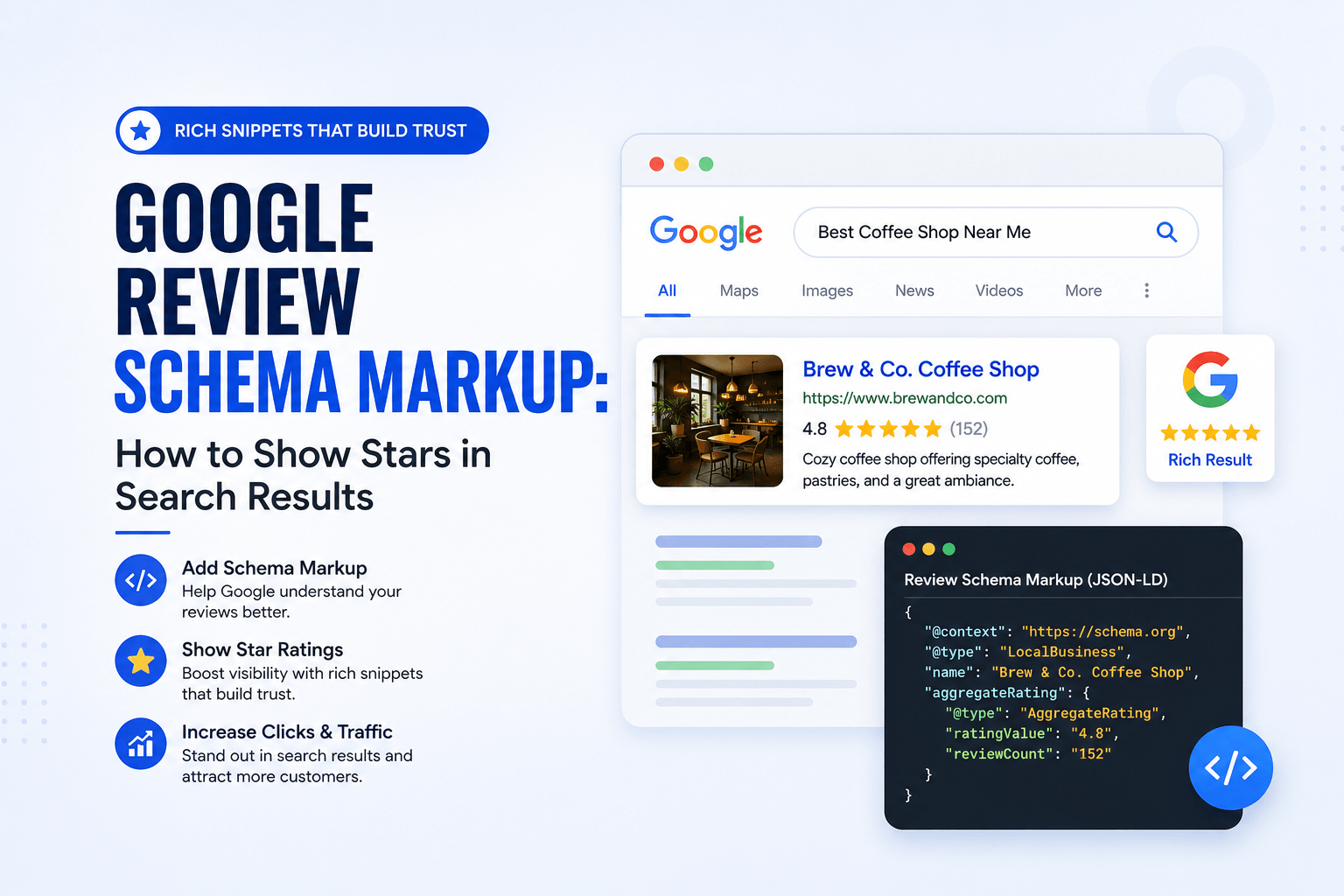
Google review schema markup is the structured data markup that tells Google how your customer reviews connect to your business — and it is one of the most misunderstood pieces of technical SEO in the local search world. Most business owners assume that adding review schema to their own homepage will make gold stars appear next to their listing in Google Search. In most cases, it will not, and implementing it incorrectly can trigger a manual action against your site.
This guide breaks down exactly what Google review schema markup can and cannot do, which schema types are valid for your situation, how to implement JSON-LD correctly, and the self-serving review restriction that catches almost every business that tries this without reading Google’s documentation first.
Have you problem with reviews optimization and management
Let’s connect to an expert.
Click a button below to talk or chat with us
What Is Google Review Schema Markup?
Review schema markup is a form of structured data — written in JSON-LD and placed in a page’s <head> or body — that describes a review or an aggregate rating using vocabulary defined by Schema.org. It gives Google explicit, machine-readable context about who wrote a review, what they rated, and what entity the review belongs to.
| Quick Definition: Structured Data Structured data is a standardized code format that search engines use to understand page content beyond plain text. It doesn’t change how a page looks to visitors — it changes how Google’s crawlers interpret the entities, relationships, and facts on that page. |
Three schema types are commonly confused under the umbrella of Google review schema markup, and knowing which one applies to your situation determines whether you’ll actually see star ratings in search results.
| Schema Type | What It Represents | Star Rating Eligible? |
| Review | A single, individual review of an entity | Only for non-LocalBusiness types (recipes, products, software, etc.) |
| AggregateRating | A summary of multiple reviews (average score + count) | Yes, but restricted for LocalBusiness on your own site |
| LocalBusiness + review | A business entity with review/rating properties attached | Restricted — see self-serving rules below |
The Rule Most Businesses Get Wrong: Google’s Self-Serving Review Restriction
This is the single biggest misconception around Google review schema markup. Google’s review snippet structured data documentation explicitly prohibits businesses from marking up reviews or ratings about themselves, written by themselves, on their own website. This is called self-serving review markup, and Google’s guidelines state that review snippets are not meant to be displayed for an organization’s or local business’s own reviews written about themselves on their own site.
| What This Actually Means in Practice You cannot take your own Google reviews, embed them on your homepage, wrap them in Review or AggregateRating schema, and expect star ratings in the local business’s own search result. Google’s systems will typically ignore this markup or, in cases of clear manipulation, apply a manual structured data action. |
There are, however, legitimate paths to displaying star ratings correctly:
- Third-party review platforms (Trustpilot, Yelp, industry-specific review aggregators) can mark up reviews about businesses because they are an independent party collecting the reviews — not the business itself.
- Products, recipes, software applications, and creative works can carry Review and AggregateRating schema on the seller’s own site, because these entity types are exempt from the local-business self-serving restriction.
- Your actual Google Business Profile star rating still displays in the local pack and Maps — that comes directly from your GBP data, not from schema on your website.
How to Implement Google Review Schema Markup Correctly
If your site sells products, services with bookable offerings, or content types that fall outside the local-business restriction, here is the correct implementation sequence.
- Confirm your entity type is eligible. Product, SoftwareApplication, Recipe, Book, Movie, and Course are commonly eligible for on-site review schema. LocalBusiness generally is not, for the reasons above.
- Choose JSON-LD as your markup format. Google explicitly recommends JSON-LD over microdata or RDFa because it’s easier to implement, validate, and maintain without touching your visible HTML.
- Include all required properties. At minimum: the entity being reviewed (itemReviewed), the rating value, the best/worst rating scale, and either an individual review author or an aggregate review count.
- Use AggregateRating for multiple reviews, Review for a single one. Mixing these incorrectly is one of the most common validation failures.
- Validate before publishing. Run the markup through Google’s Rich Results Test and the Schema Markup Validator before deploying site-wide.
- Match the visible content. Google’s guidelines require that structured data reflect content actually visible to users on the page — hidden or fabricated review data violates spam policies.
Example: Valid AggregateRating Schema (Product Entity)
| { “@context”: “https://schema.org/”, “@type”: “Product”, “name”: “Example Product Name”, “aggregateRating”: { “@type”: “AggregateRating”, “ratingValue”: “4.7”, “reviewCount”: “89”, “bestRating”: “5”, “worstRating”: “1” } } |
For Local Businesses: What You Should Mark Up Instead
Since AggregateRating on your own LocalBusiness entity is restricted, the correct structured data strategy for a local business is to focus on LocalBusiness schema without the aggregateRating property — covering name, address, telephone, geo coordinates, and opening hours — while letting your genuine review signals accumulate on your Google Business Profile, where they’re eligible to surface naturally in the local pack and Maps results.
| { “@context”: “https://schema.org/”, “@type”: “LocalBusiness”, “name”: “Business Name”, “address”: { “@type”: “PostalAddress”, “streetAddress”: “123 Main St”, “addressLocality”: “City”, “addressRegion”: “State”, “postalCode”: “00000” }, “telephone”: “+1-000-000-0000”, “url”: “https://example.com” } |
Common Google Review Schema Markup Mistakes
| Mistake | Why It Fails | Fix |
| Self-reviewing LocalBusiness on own site | Violates Google’s self-serving review policy | Remove AggregateRating from LocalBusiness schema; rely on GBP |
| Fabricated or inflated ratingValue | Violates structured data spam policies; risks manual action | Only mark up ratings that genuinely exist and are visible |
| Missing bestRating/worstRating scale | Google can’t interpret the rating context correctly | Always declare the full 1–5 (or applicable) scale |
| Markup not matching visible page content | Structured data must mirror what users actually see | Keep schema and on-page content perfectly in sync |
| Using microdata inconsistently with JSON-LD elsewhere | Creates conflicting signals across the same entity | Standardize on JSON-LD sitewide |
How to Validate Your Review Schema Before Publishing
Before pushing any structured data live, validate it using Google’s official Search Central structured data documentation as your reference, then run the markup through the Rich Results Test tool inside Google Search Console. A green pass on validation doesn’t guarantee a rich result will display — Google decides that algorithmically — but it confirms your syntax and required properties are correct.
- Check for required vs. recommended property warnings — required errors block eligibility entirely.
- Re-validate after any CMS or theme update, since plugin conflicts frequently break JSON-LD output silently.
- Monitor the Enhancements report in Search Console for review snippet errors flagged post-indexing.
How Review Schema Fits Into Your Broader Reputation Management System
Structured data is only one layer of a complete reputation system. Even with technically perfect schema, star ratings won’t appear if the underlying review signals aren’t strong. This is why review schema strategy should sit downstream of review acquisition and response strategy, not upstream of it.
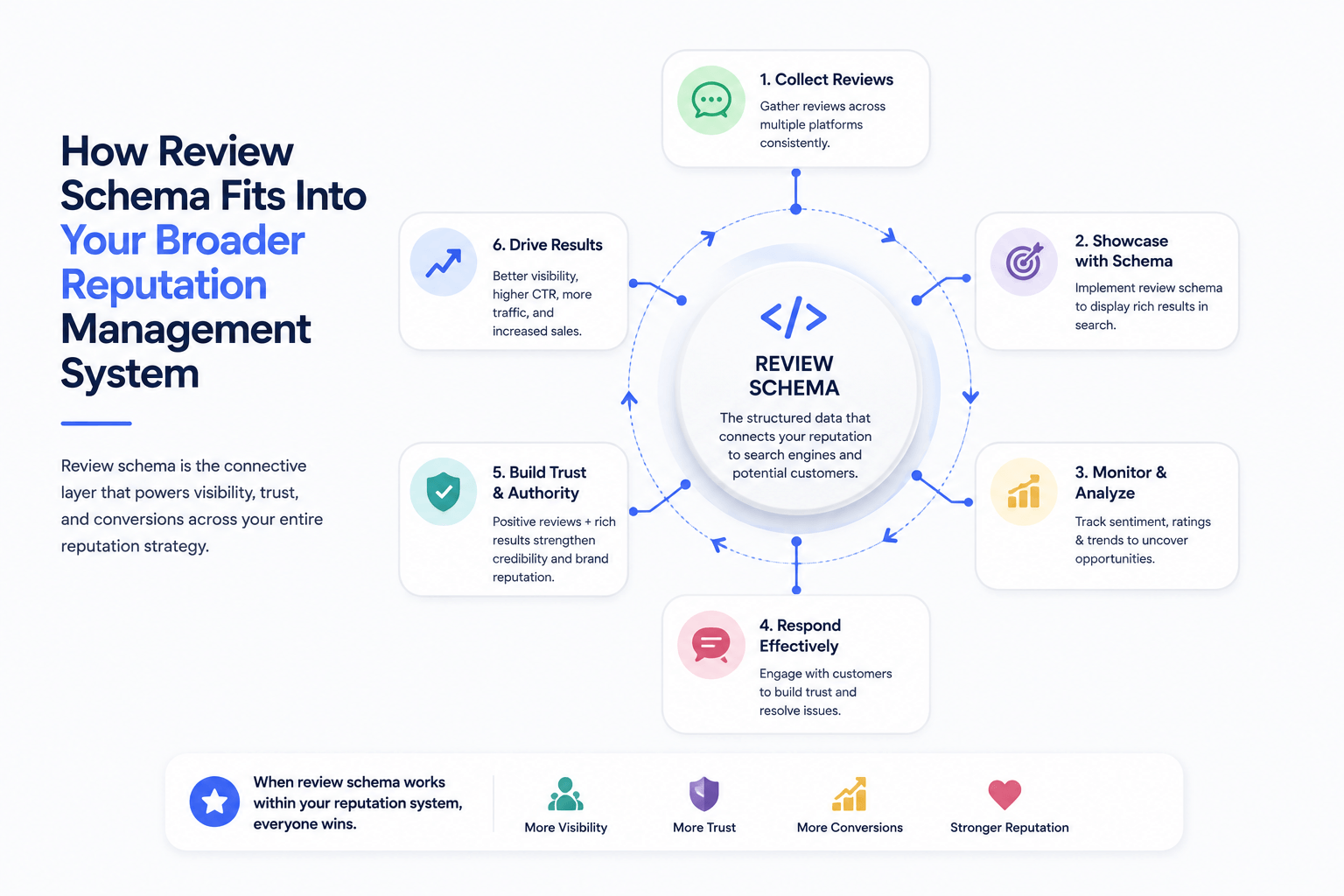
We’ve covered how review count and review velocity directly affect local rankings, and how to build the acquisition system that generates the review volume that eventually surfaces as prominence signal in the local pack. If your review pipeline is still thin, start with our guide on how to get more Google reviews before layering in schema strategy.
Response activity also matters here — businesses that consistently reply to reviews using the frameworks in our how to respond to Google reviews guide (and our companion piece on handling negative Google reviews professionally) reinforce the same entity coherence signals that structured data is meant to communicate to Google’s algorithm.
For businesses managing more than one location, schema strategy becomes more complex — each branch needs its own LocalBusiness entity and its own review profile. Our Google Maps multi-location SEO playbook covers the full LocalBusiness schema requirements per location, and pairs well with our local keyword research framework for mapping schema-supported pages to the right geo-intent queries.
If you haven’t yet audited the technical foundation your schema sits on — crawlability, indexation, and Core Web Vitals — our Technical SEO for Beginners guide is the right starting point. And if review schema is your first step into structured data generally, our Local SEO for Small Businesses guide ties every one of these signals — reviews, NAP consistency, and schema — back into a single ranking framework.
Google Review Schema Markup Implementation Checklist
- Confirmed entity type is eligible for on-site review/rating schema (not LocalBusiness)
- Removed or avoided AggregateRating on self-owned LocalBusiness schema
- Implemented markup in JSON-LD format
- Included itemReviewed, ratingValue, bestRating, and worstRating properties
- Validated markup using Google’s Rich Results Test
- Confirmed structured data matches visible on-page content exactly
- Monitoring Search Console Enhancements report for ongoing errors
- Google Business Profile optimized as the primary channel for genuine star rating visibility
Frequently Asked Questions
Can I add review schema to my local business homepage and get stars in search results?
In almost all cases, no. Google’s guidelines explicitly restrict self-serving review markup for LocalBusiness entities on the business’s own site. Your genuine star rating will still display in the local pack and Maps, sourced from your Google Business Profile — not from schema you add yourself.
What’s the difference between Review schema and AggregateRating schema?
Review schema represents a single individual review, while AggregateRating summarizes multiple reviews into an average rating value and count. Most businesses that display multiple reviews should use AggregateRating, provided their entity type is eligible.
Why did my review schema pass validation but stars still don’t show in search results?
Passing validation confirms your syntax is correct, but Google decides algorithmically whether to display a rich result. Eligibility, content quality, and policy compliance all factor into whether a rich snippet actually renders.
Can third-party review platforms display my star rating in search results even if I can’t?
Yes. Platforms like Trustpilot or industry-specific review aggregators are considered independent third parties, so their review schema for your business is not subject to the same self-serving restriction that applies to your own site.
Will using review schema incorrectly get my site penalized?
Google may issue a manual structured data action for clear violations, such as fabricated ratings or markup that doesn’t match visible content. In most cases, Google simply ignores non-compliant markup rather than penalizing the site — but repeated or egregious violations increase that risk.
Does review schema markup improve my local pack ranking directly?
No. Review schema affects how a rich result might display in organic search, not local pack ranking. Local pack position is driven by relevance, distance, and prominence — with prominence heavily influenced by your actual Google Business Profile review signals.
Should I use JSON-LD, microdata, or RDFa for review schema?
Google recommends JSON-LD as the preferred format because it’s implemented as a separate script block, doesn’t require touching your visible HTML structure, and is easier to maintain and validate consistently across a site.

No responses yet